Call Today: UK+44 28 9099 5931| IE+353 71 985 6215
 Award winning ezServiceHUB platform
 Easy to Install
 Easy to Train
 Easy to use
 Call Today: UK+44 28 9099 5931| IE+353 71 985 6215
Award winning ezServiceHUB platform
Easy to Install Easy to Train Easy to useLatest Release Notes
Release Notes 2025
December 2025
November 2025
October 2025
September 2025
August 2025
July 2025
June 2025
May 2025
April 2025
March 2025
 Default Invoice Settings – Added new setting show Inactive sales codes

Account Transactions – based on show inactive sales codes setting sales code will shown in transactions

Sales Code / Nominal Code –A new Bank Code flag has been introduced to help distinguish between different types of transactions based on their payment nature.
For Refunds and Payments, only transactions where the Bank Code flag is set to true will be loaded.
For Credit Notes and Invoices, only transactions where the Bank Code flag is set to false will be loaded.

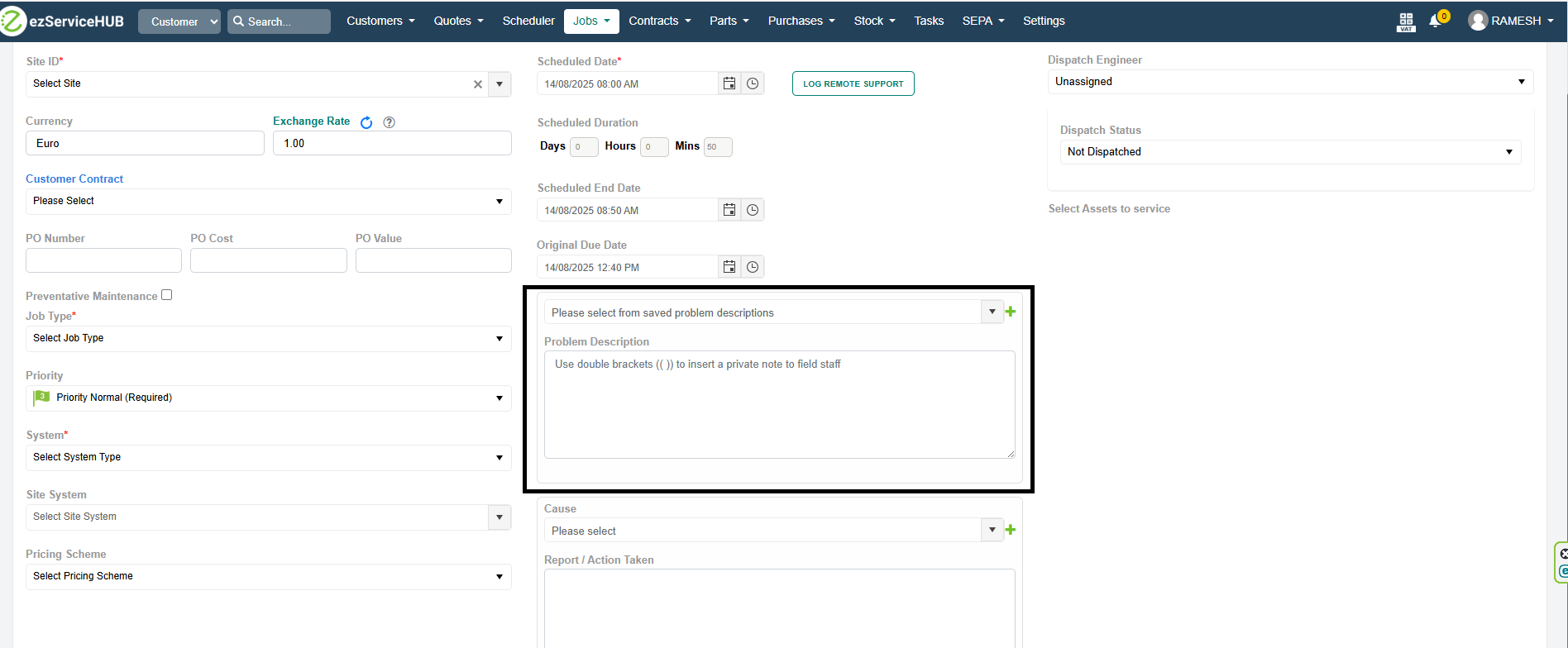
Create / Edit Job – Added Problem Description table and problem description will load from saved description on dropdown selection
 Parts List screen added filter to exclude discontinued parts by default.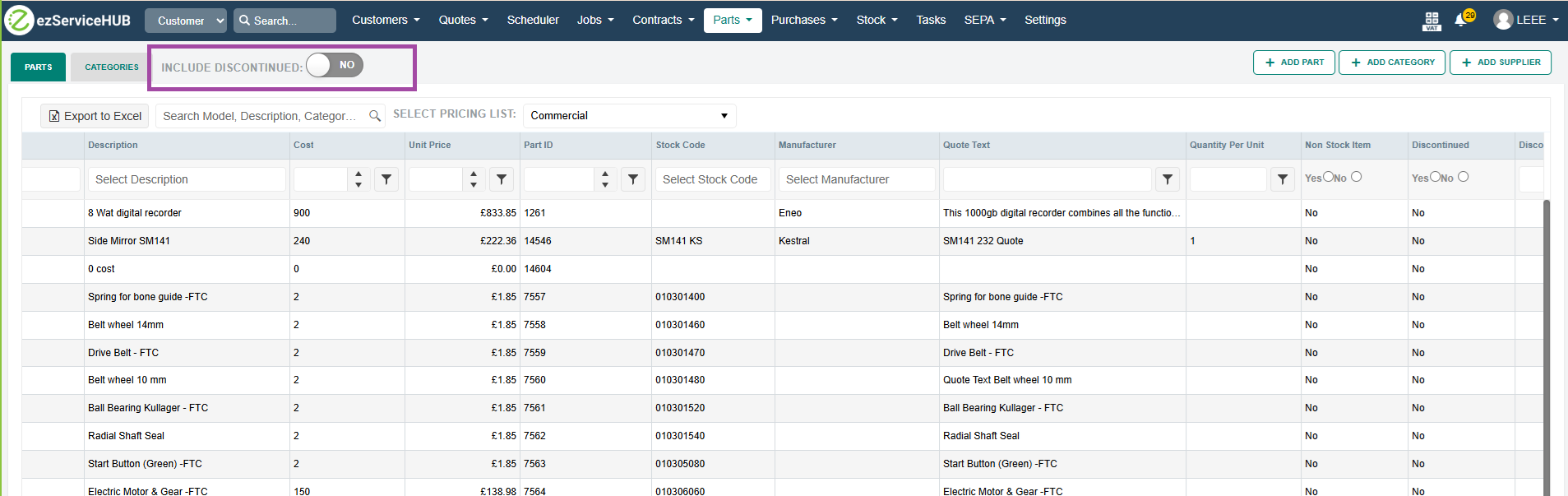
Stock Adjust and Stock Take screen Adjustment column made read only. Need to use the count qty column to make entries which is marked as editable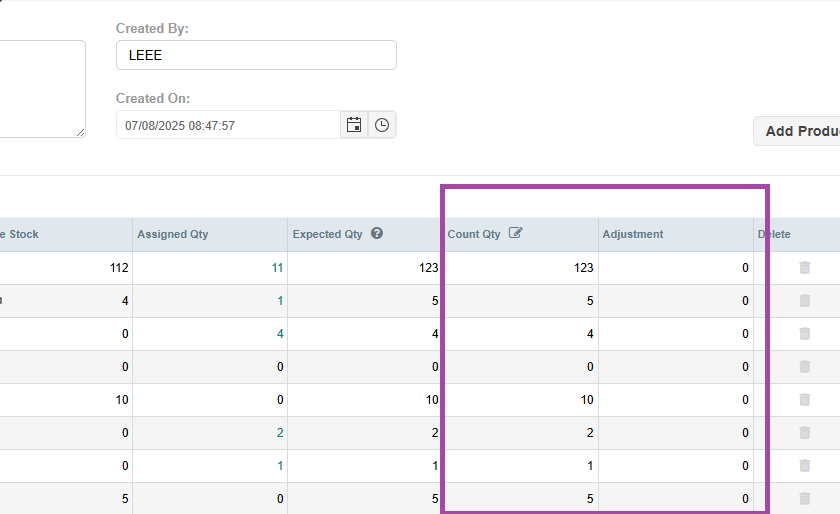
Added attachment option added in the supplier edit screen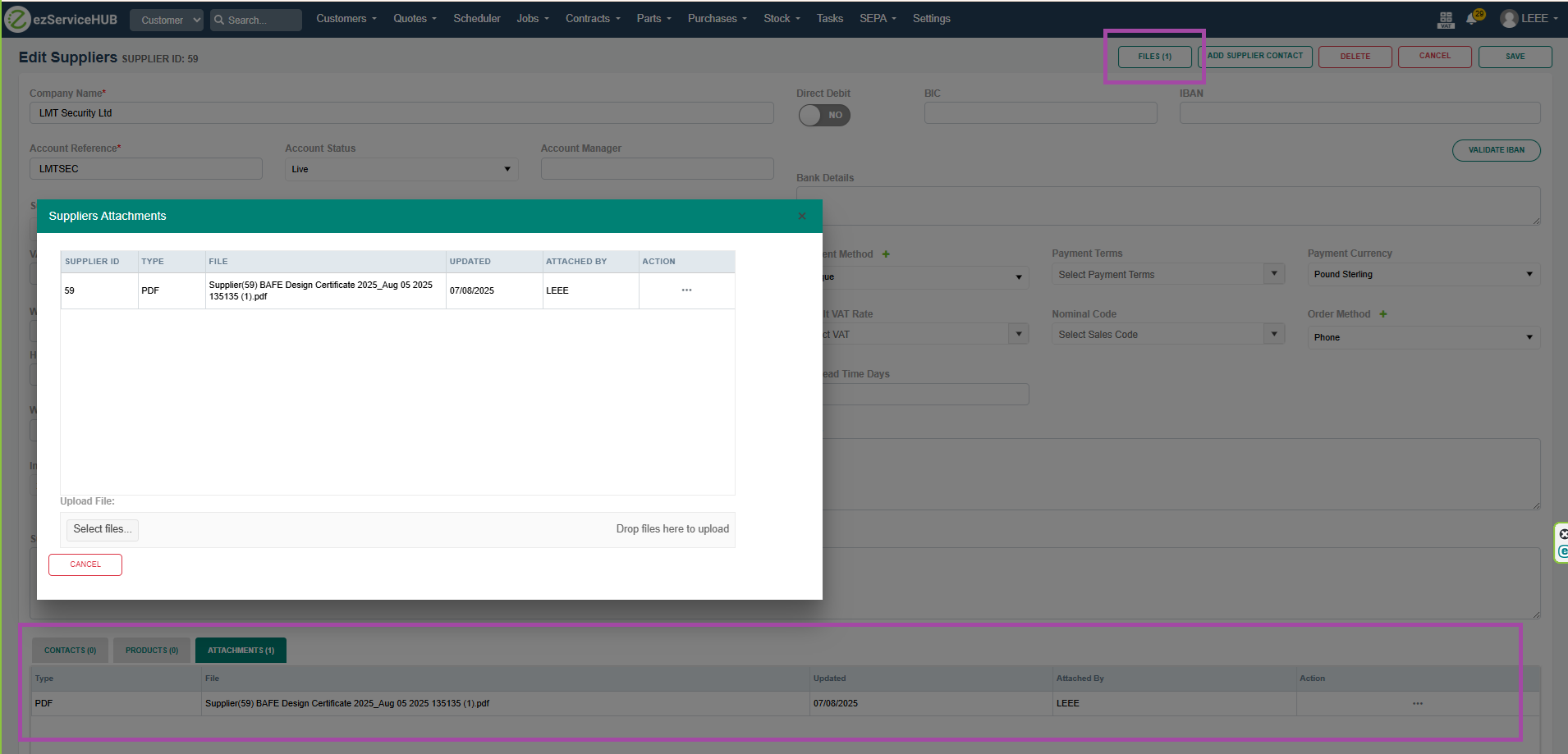
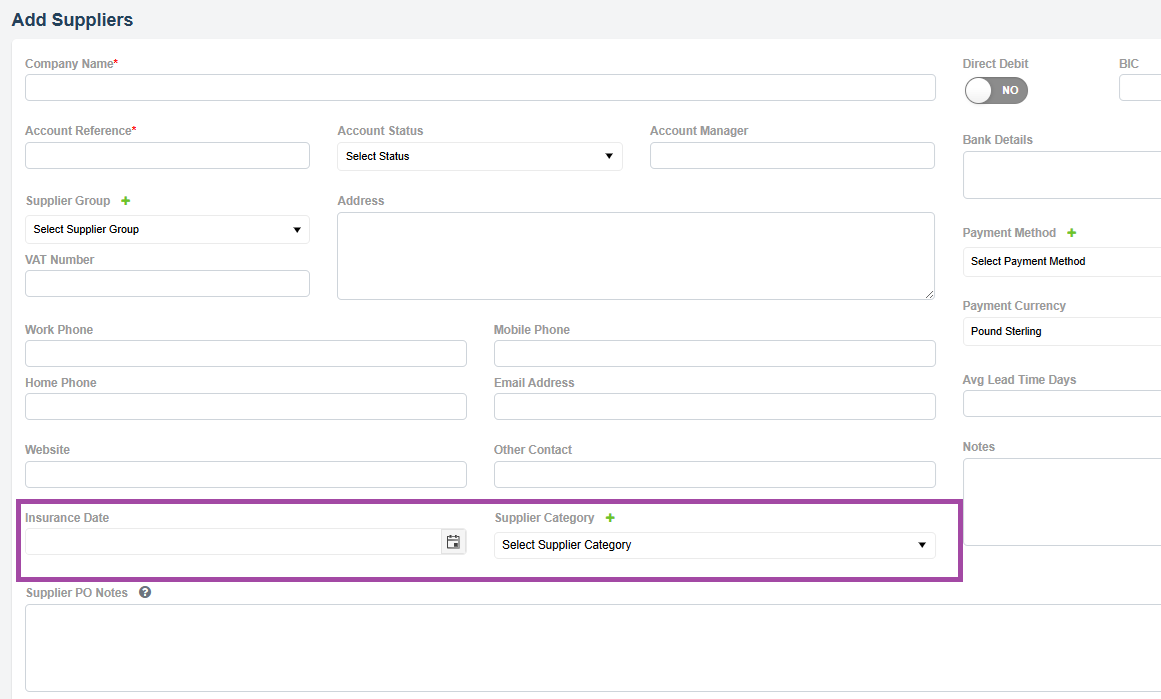
Added Insurance date and Supplier Category fields to Add/Edit supplier
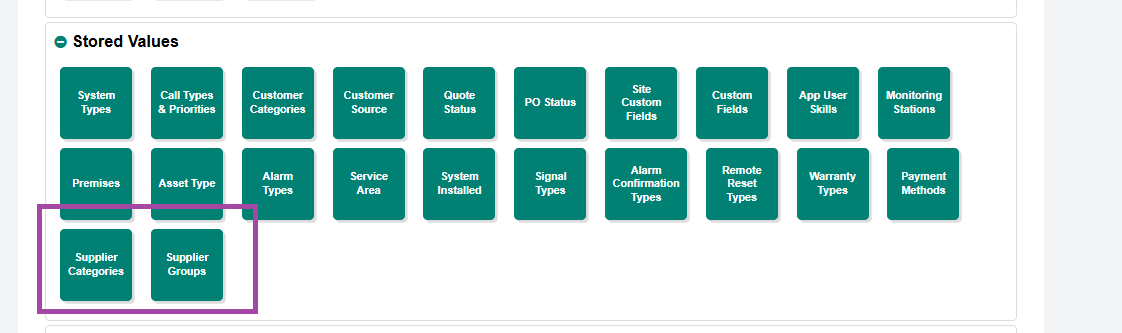
Added option in settings to manage Supplier Categories and Supplier Groups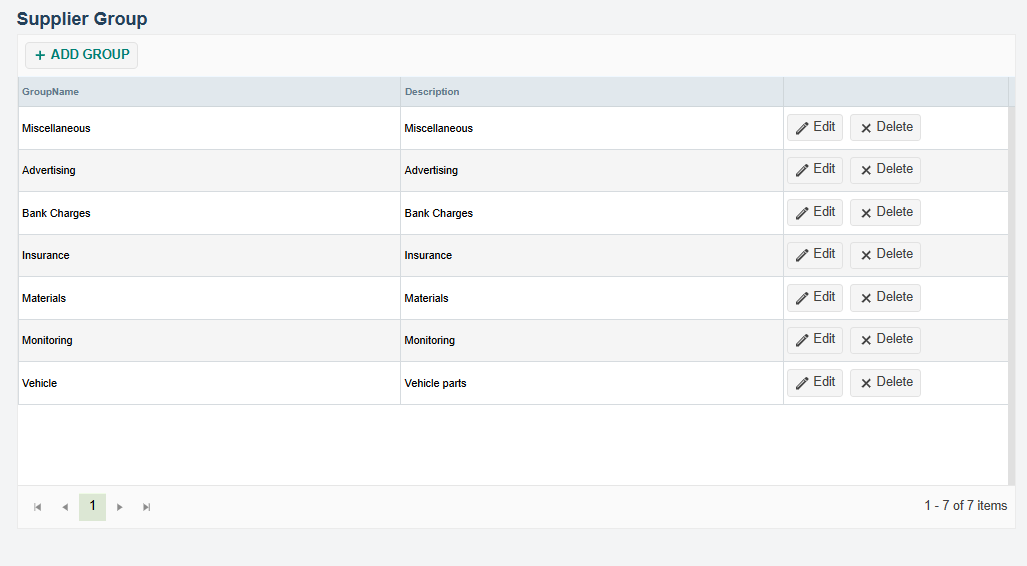
While creating a credit note against an invoice with an inactive sales code, the following message is displayed, and the credit note will not be created.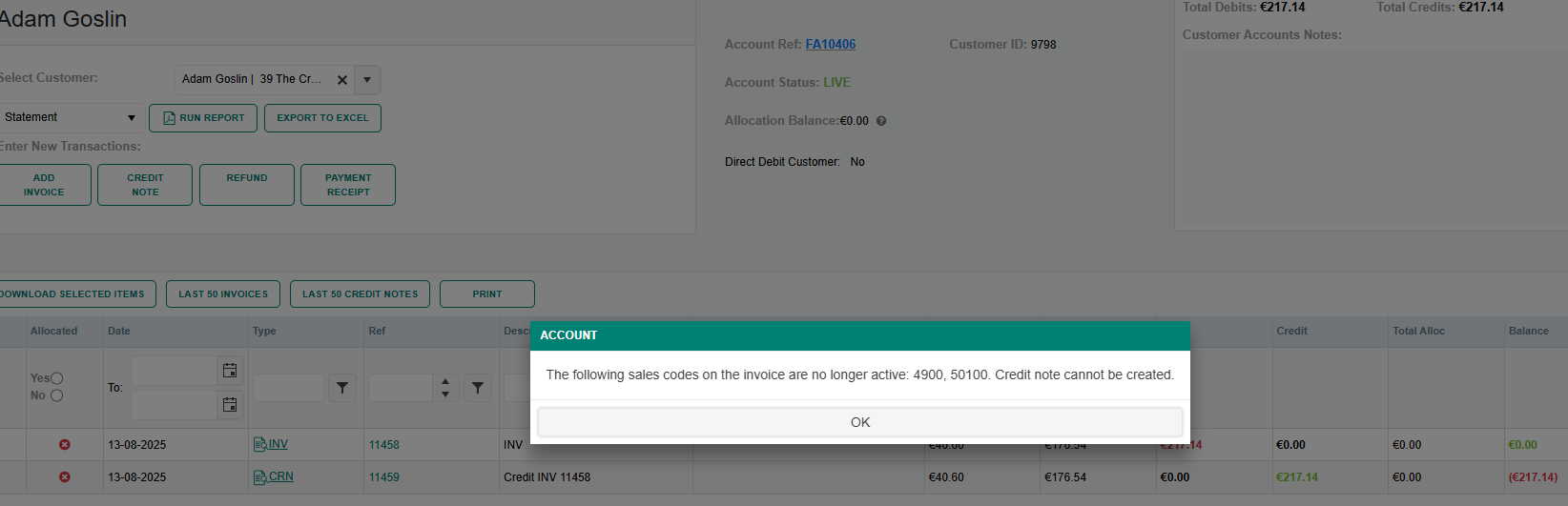 Sentinel link has been added for viewing logs of Sentinel-mapped sites.
By clicking the serial number, logs can be viewed in EZ. Clicking View Logs in Sentinel Web will redirect to the Sentinel portal, where the user can enter their login credentials and view logs from the web application
 The PO number has been made a clickable link to the purchase order, and a Supplier column has been added in Job Pricing.
The Cost and Margin/Markup values will now be updated based on the PO unit price.

Customer and Site – Email and Phone number variables added for the quote templates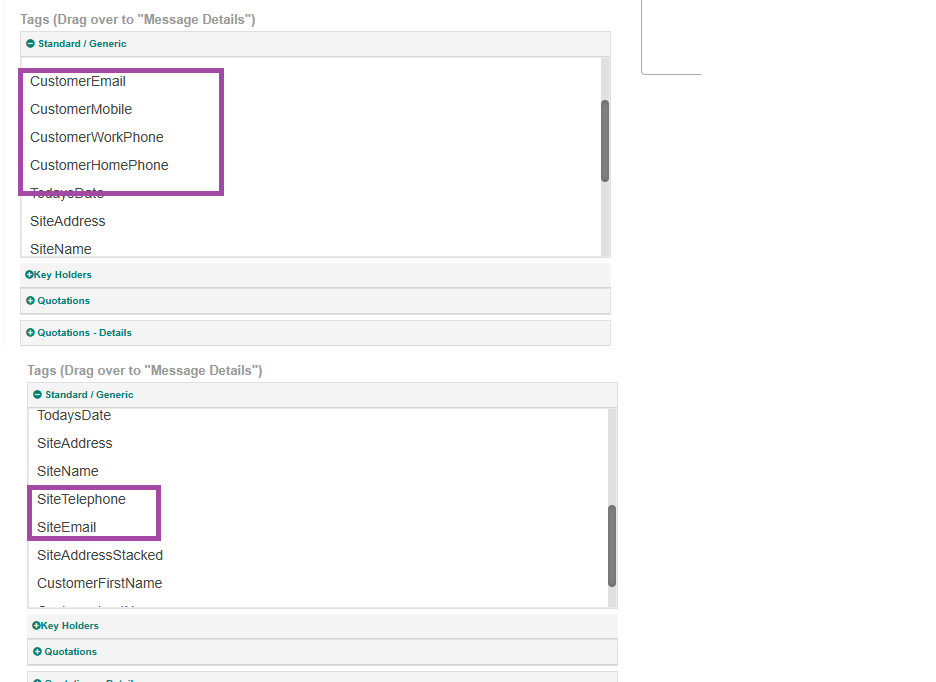
In the Statement screen, account filters Include Inactive and Exclude Statuses have been added.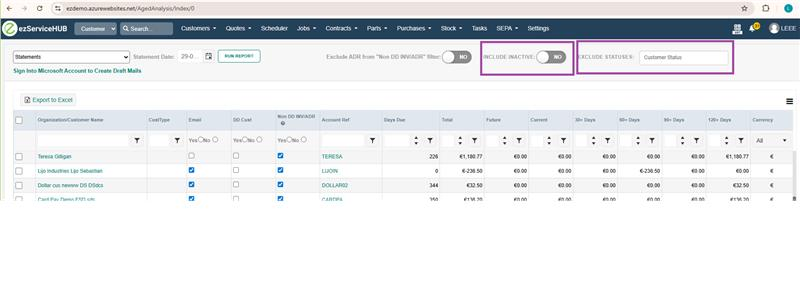
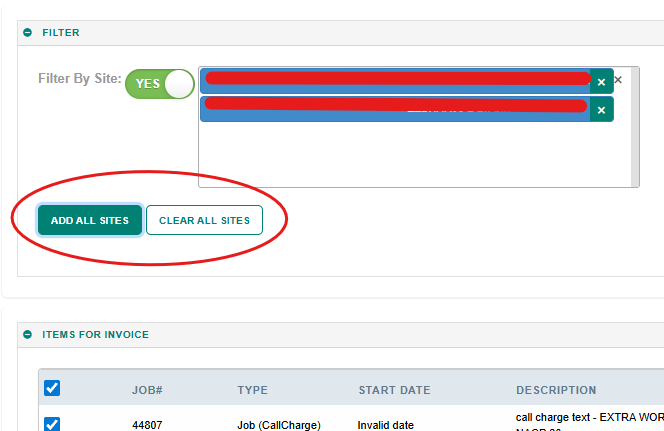
Add/Clear all sites to filter option in Invoice added.
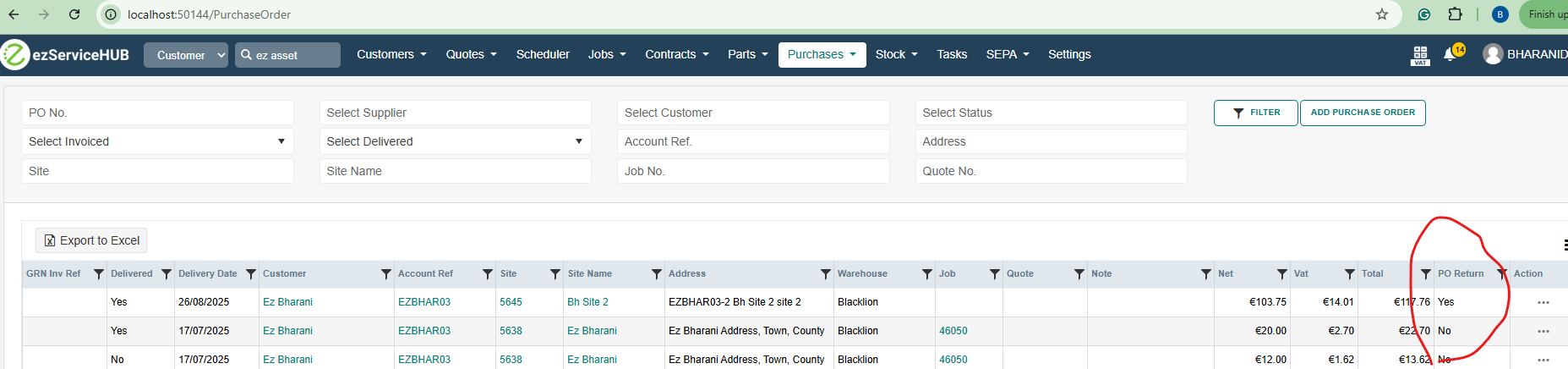
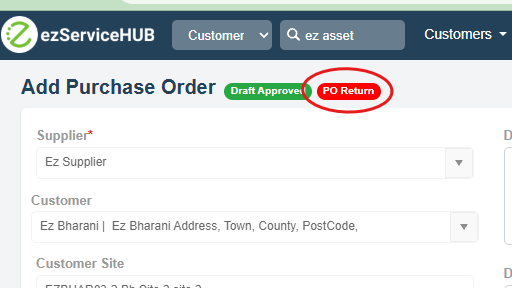
Purchase return tag added in the Purchase order and listing screen.
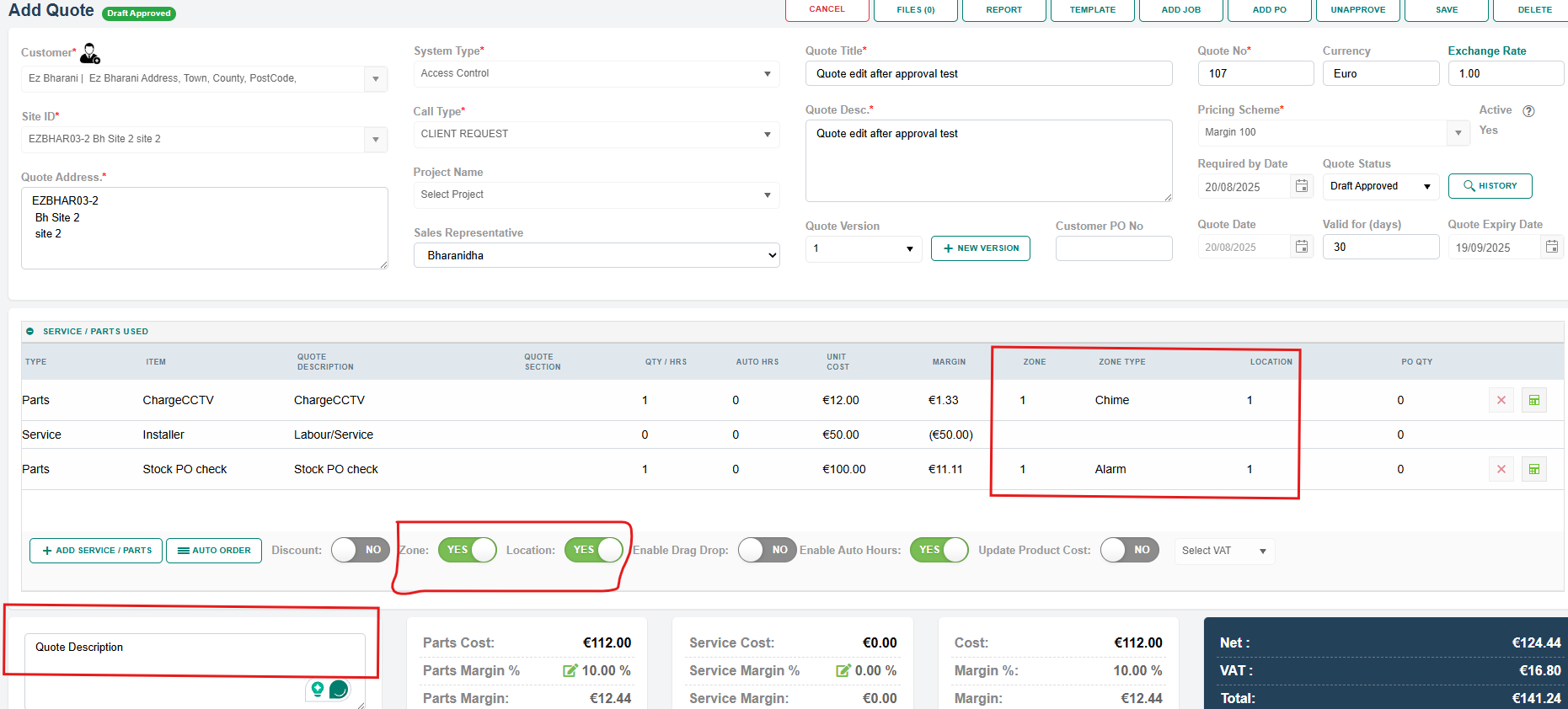
Zones, Location and Quote note fields are made editable even after the quote is approved.
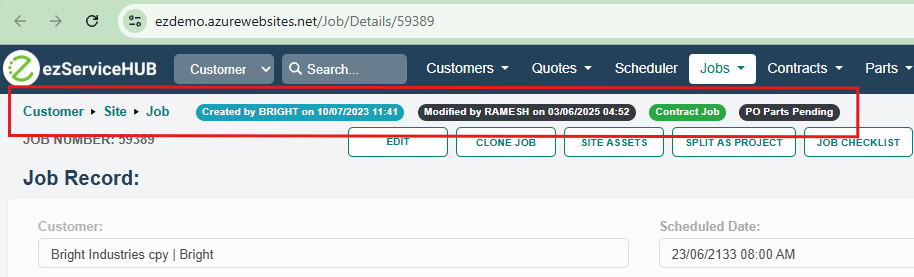
PO status tag added in the Job details screen. And the tags layout changed in Job Edit and Details.