Call Today: UK+44 28 9099 5931| IE+353 71 985 6215
 Award winning ezServiceHUB platform
 Easy to Install
 Easy to Train
 Easy to use
 Call Today: UK+44 28 9099 5931| IE+353 71 985 6215
Award winning ezServiceHUB platform
Easy to Install Easy to Train Easy to useLatest Release Notes
Release Notes 2025
December 2025
November 2025
October 2025
September 2025
August 2025
July 2025
June 2025
May 2025
April 2025
March 2025
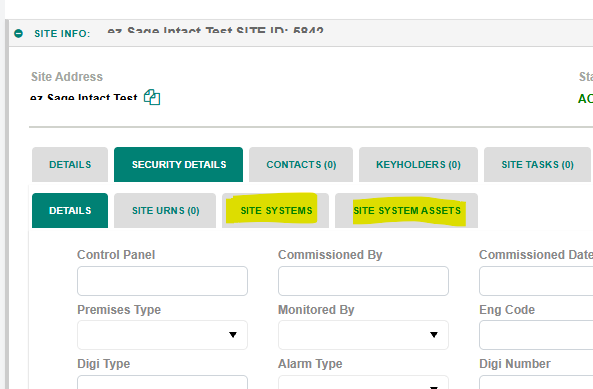
 Site details: “Site systems” tab moved to Security Details Tab. And a new tab was introduced for “Site System Assets” in Security Details
If all lines are already invoiced or added to a Quick Invoice, and user want to create a new invoice, then clicking the Invoice button in the pricing screen will display the pop-up shown below, allowing user to enter the amount and create a new Quick Invoice.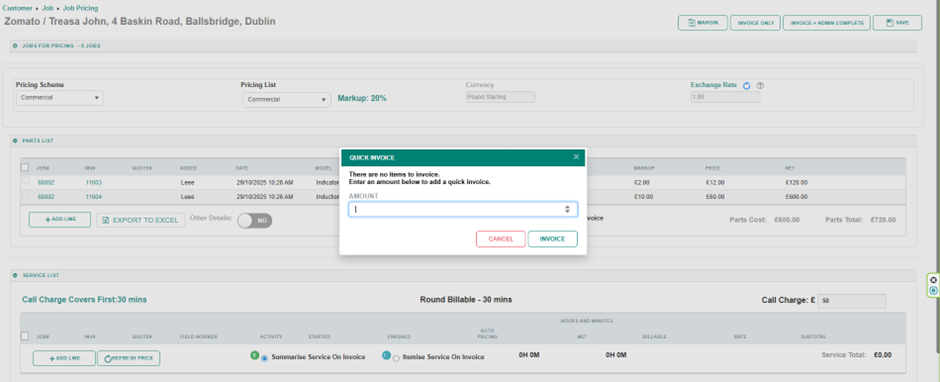
All invoices related to the job will be displayed at the bottom of the Pricing screen.
The following labels have been added at the bottom of the Pricing screen:
Total Invoiced – Displays the total amount of all invoices.
Selected Invoice Amount – Displays the total based on the selected lines to invoice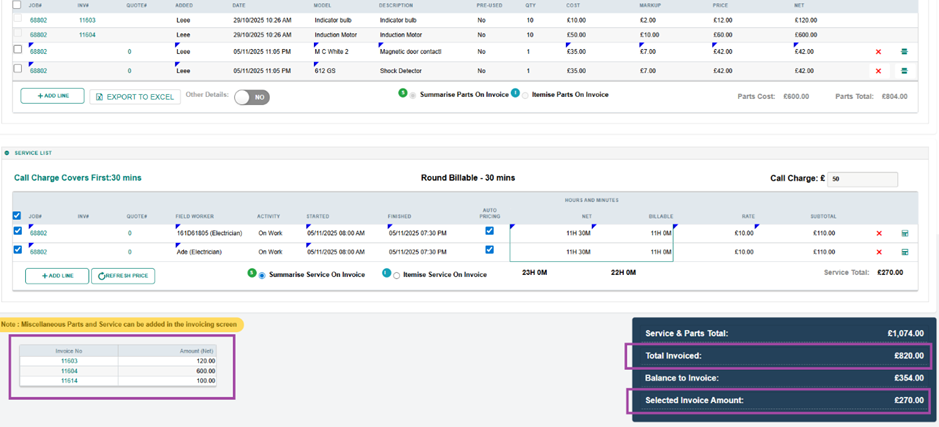
Added a Split Quantity for Invoice option for the Parts List in the Pricing screen.
When the Split icon is selected, the window shown below will appear. The user can enter the quantity to be added as a new line. By clicking the Add button, a new line will be created with the entered quantity, and the same quantity will be deducted from the source line 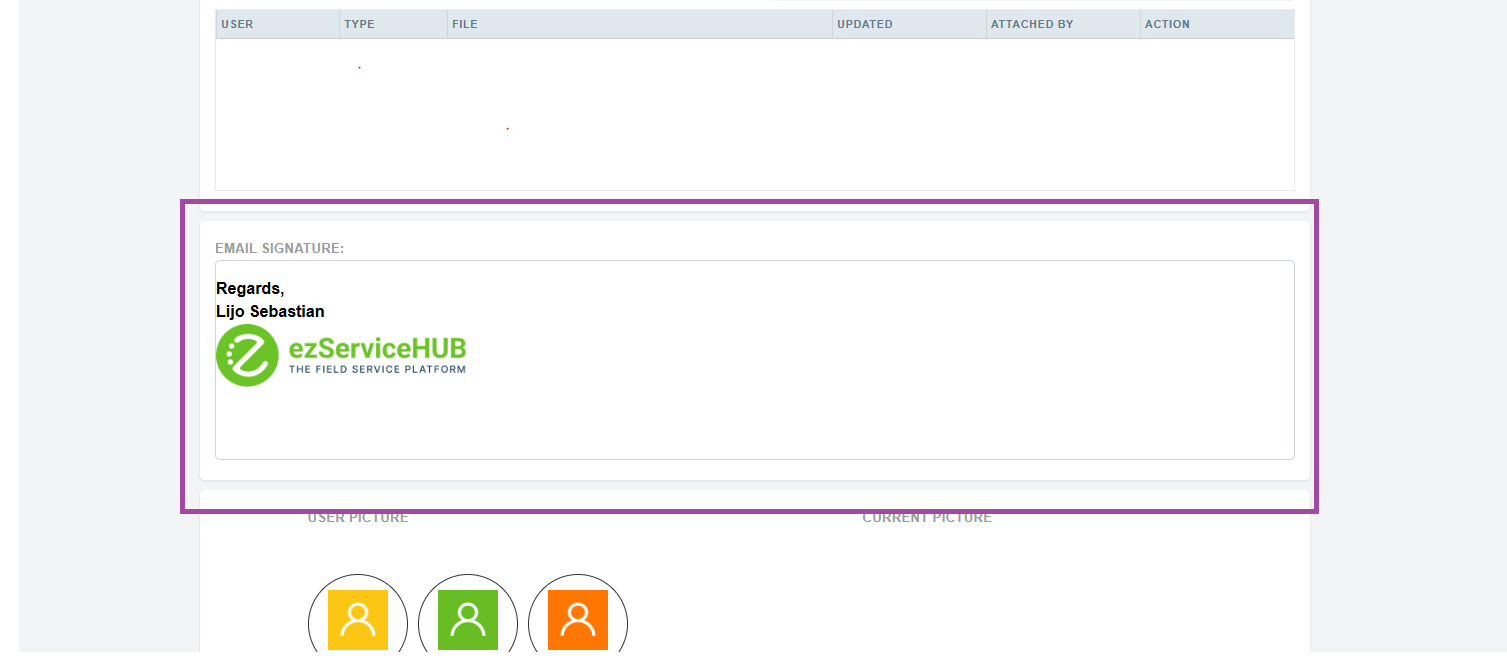
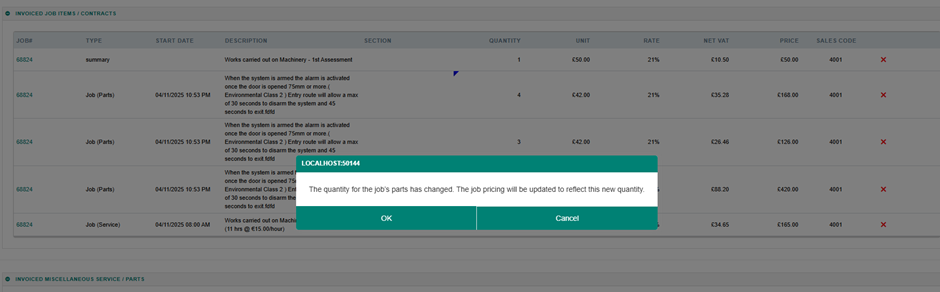
If the quantity of a parts line in the invoice is changed, the corresponding parts line in the Pricing screen will also be updated accordingly.
Added the option to create multiple Quote Task Boards. Quote Task Boards can now be configured from the Quote Add/Edit screen for a specific Quote, instead of using the default Quotation board.
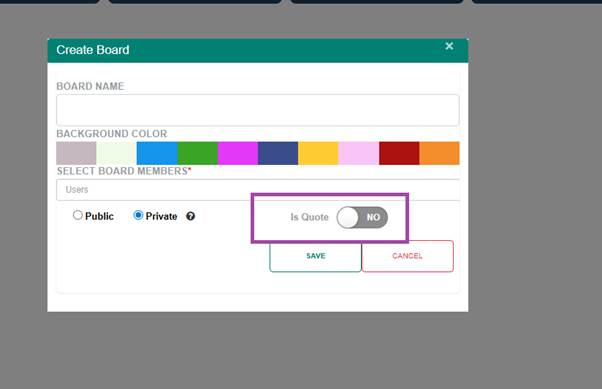
While creating or editing a board, users can set the Is Quote flag to Yes to create it as a Quote Task Board. The task list for all Quote statuses will then be displayed for the Quote.
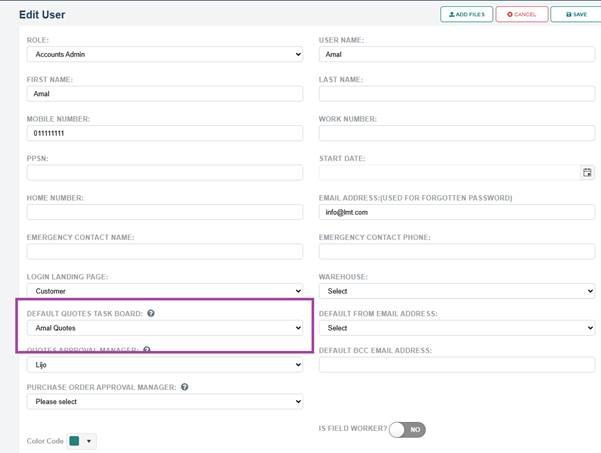
Added an option to select a default Quote Task Board for a user in the Edit User screen. The dropdown will list all Quote Boards that the User is a member of
 In the Add/Edit Quote screen, an option to select a Task Board has been added. The dropdown will list all Quote Boards that the Sales Rep is a member of. The user’s default board will be selected by default. The View Task Board button can be clicked to view the selected Task Board, provided the logged-in user has permission to access it.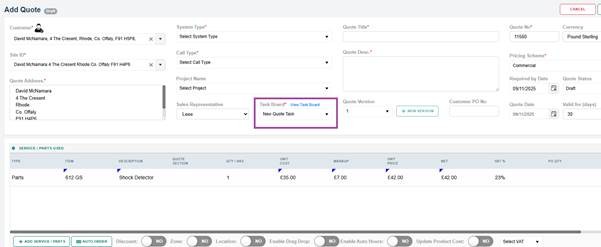
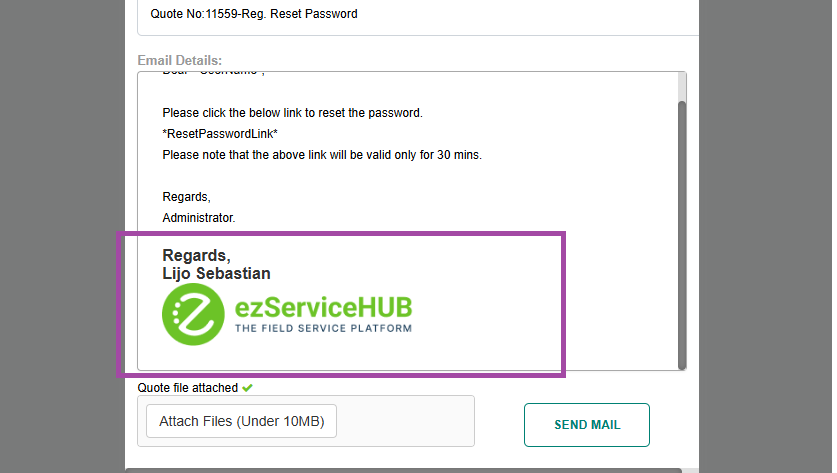
Added the option to configure the Email Signature for each user in the User Add/Edit Screen
If the email signature is configured, it will be added to all email functions when sending emails.
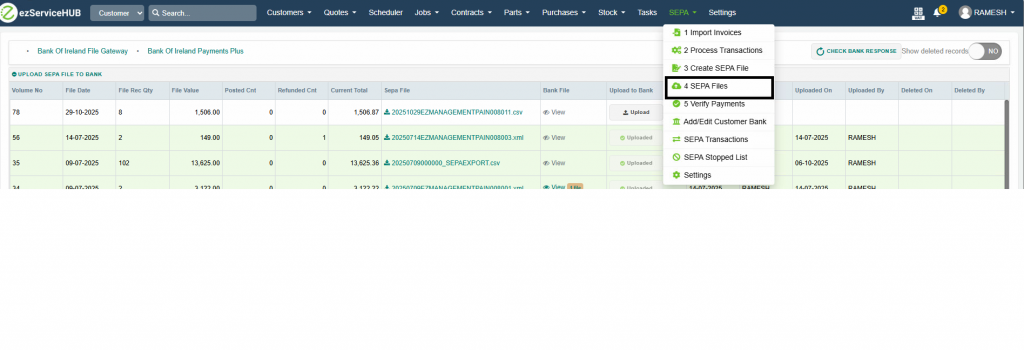
Enhanced SEPA FILES Page
The SEPA FILES page has been enhanced to make payment processing easier and more efficient.
What’s new:
Improved layout and usability for clearer payment review
SEPA file download option, allowing you to quickly generate and download SEPA payment files for bank submission
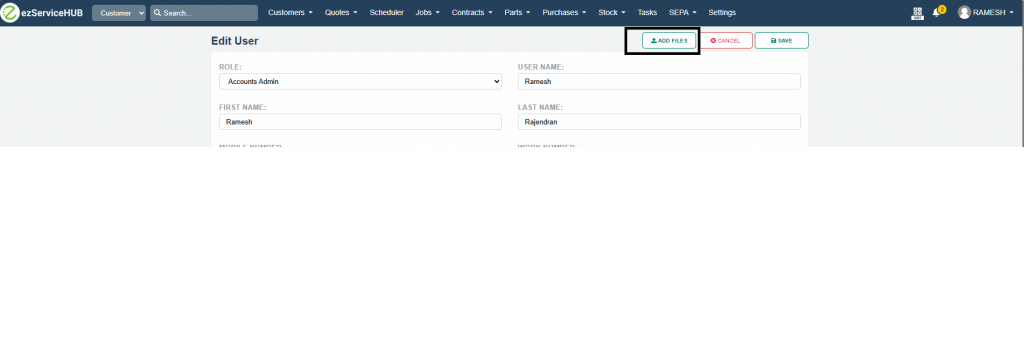
File Uploads for Users
Users can now upload licenses and other important documents directly into the system.
What this means for you:
Store licences and related files securely in one place
Easily access and manage user documents when needed
Reduce paperwork and keep records organised
Nuacom Integration
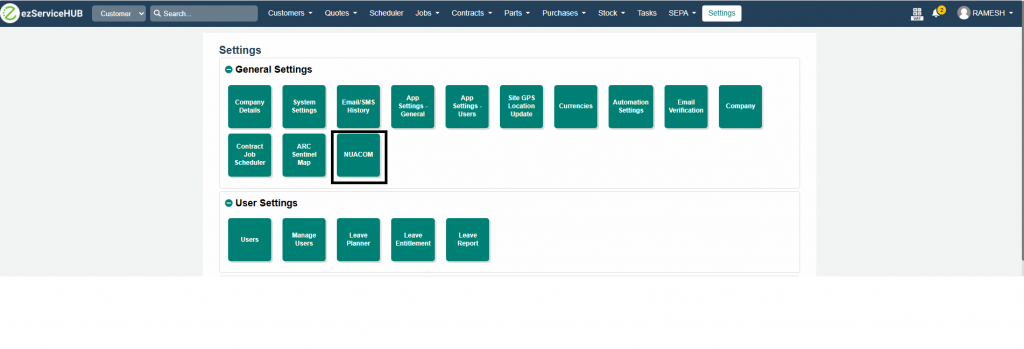
We’ve integrated Nuacom with EZ to streamline your contact management and communications.
With this integration, you can:
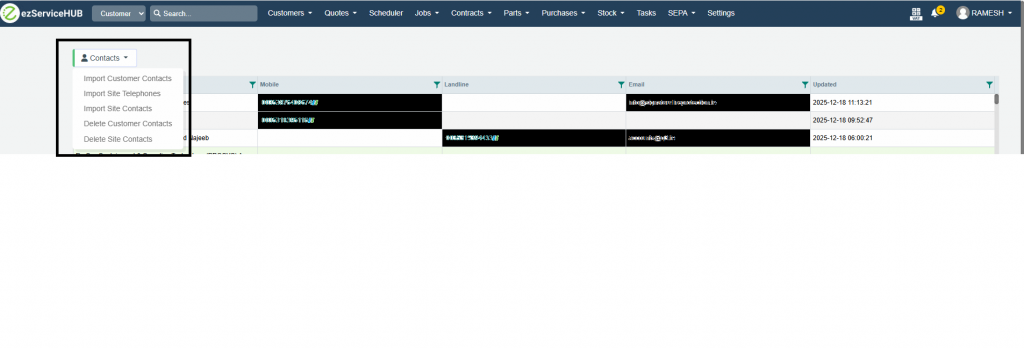
Import contacts from Nuacom into EZ
Export customer-level and site-level contacts from EZ directly to Nuacom
Benefits:
Keep contact details in sync across both systems
Reduce manual data entry and duplication
Ensure your team always has up-to-date contact information for customers and sites
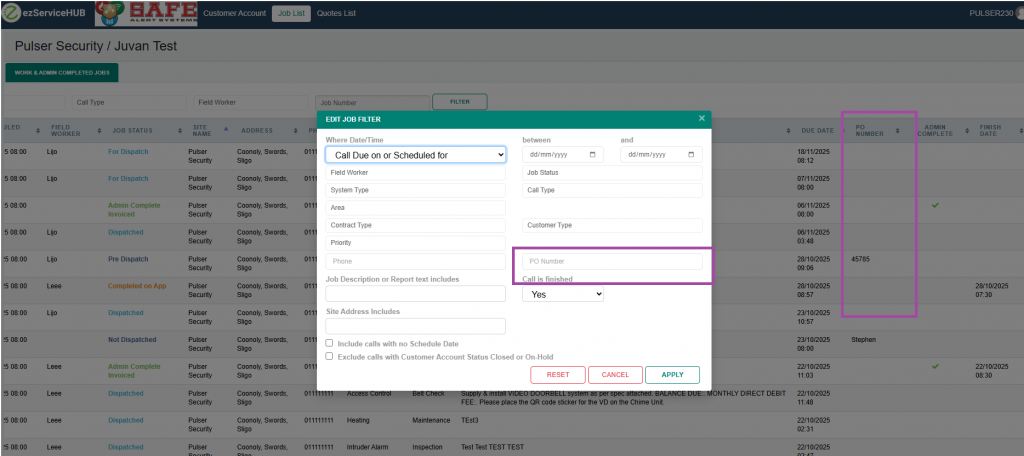
PO number field added to the jobs list and filter in the customer portal.
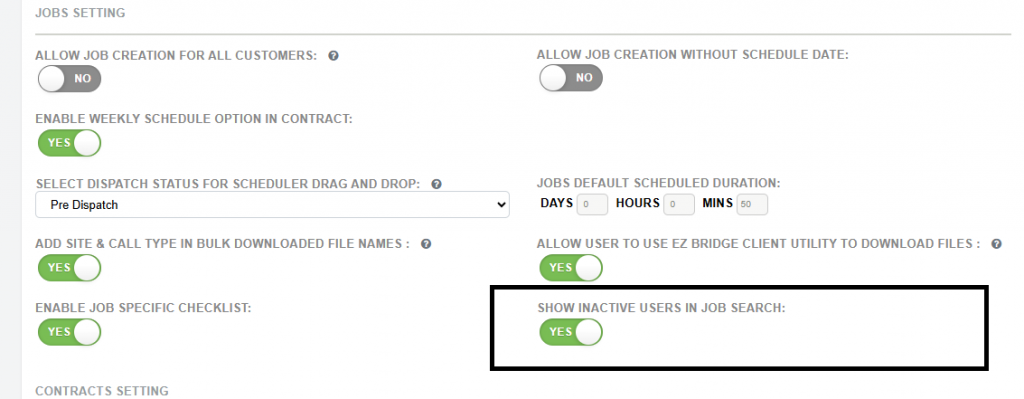
New Setting: Show Inactive Field Workers
We have introduced a new option in System Settings that enables inactive users to appear in the Field Worker selection list.