Call Today: UK+44 28 9099 5931| IE+353 71 985 6215
 Award winning ezServiceHUB platform
 Easy to Install
 Easy to Train
 Easy to use
 Call Today: UK+44 28 9099 5931| IE+353 71 985 6215
Award winning ezServiceHUB platform
Easy to Install Easy to Train Easy to useLatest Release Notes
Release Notes 2025
December 2025
November 2025
October 2025
September 2025
August 2025
July 2025
June 2025
May 2025
April 2025
March 2025
 A default VAT Exempt ID can be set in the invoice settings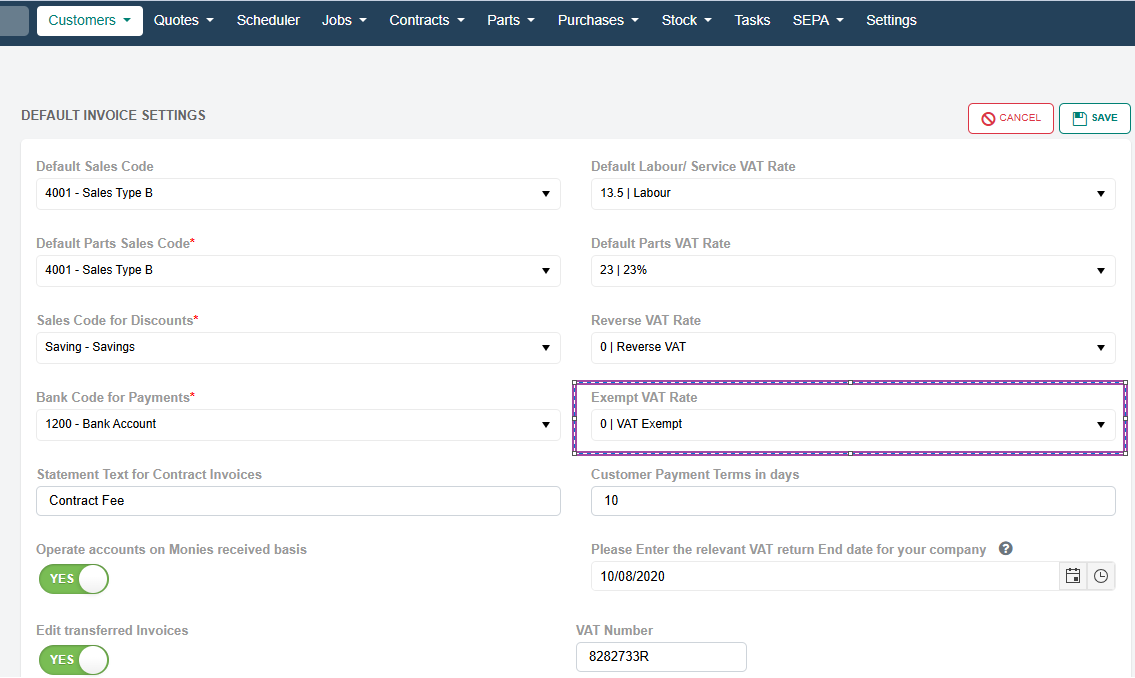
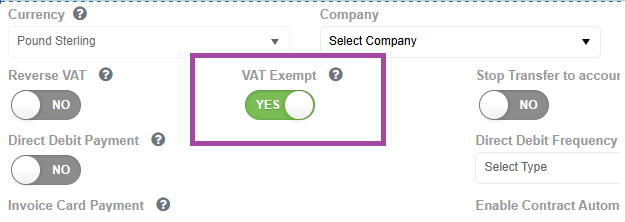
Customers can be marked as VAT exempt in the Add/Edit Customer section.
When a customer is VAT exempt, their VAT rate will be automatically set to the one configured in the invoice settings.
When creating a contract invoice for a VAT-exempt customer, the exempt VAT Rate from the invoice settings is automatically applied.
Quote Notes now include the option to add private notes using double brackets, which are not visible to customers. Any text enclosed in double brackets will not appear in quote reports.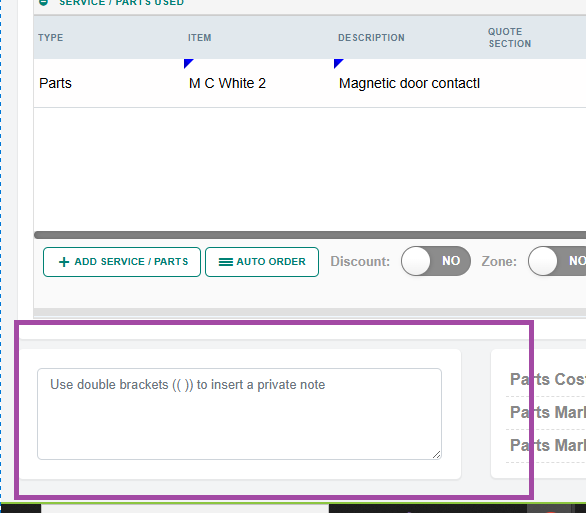
New Feature: Supplier Part Reference Search.
The Create Quote screen now supports searching parts by the supplier’s part reference, making it quicker to find the correct item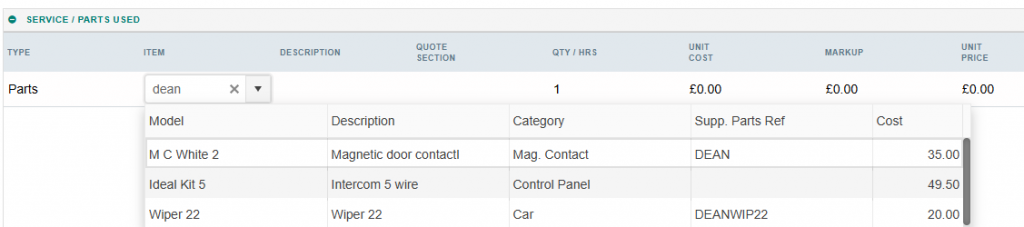 New Map Option: Show Jobs Toggle.
We’ve introduced a new Show Jobs toggle on the map.
The map will initially display all jobs and active engineers, but you can now hide jobs using the toggle to focus solely on active engineers.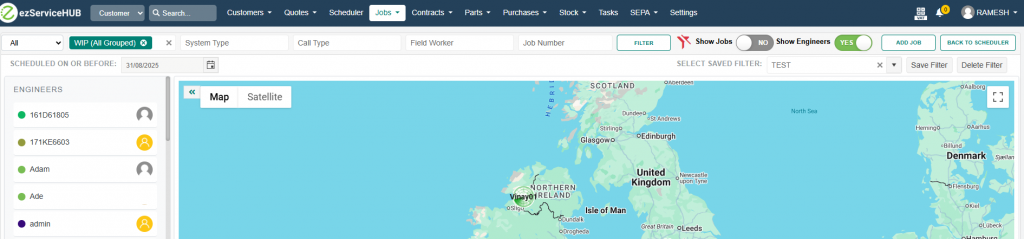
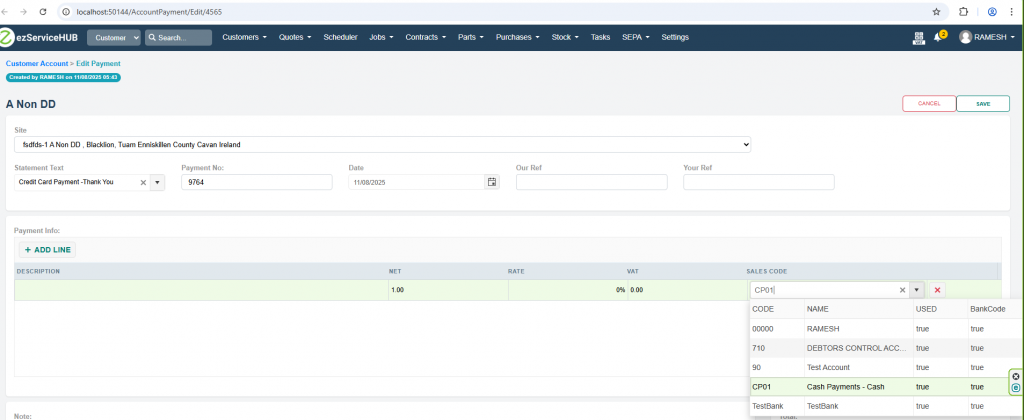
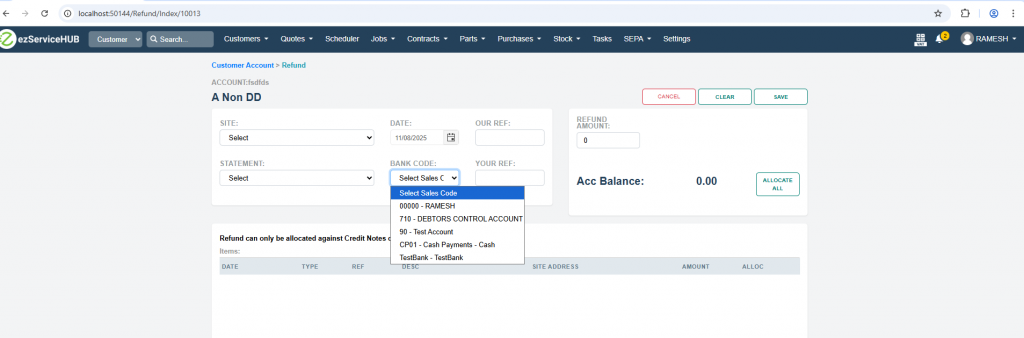
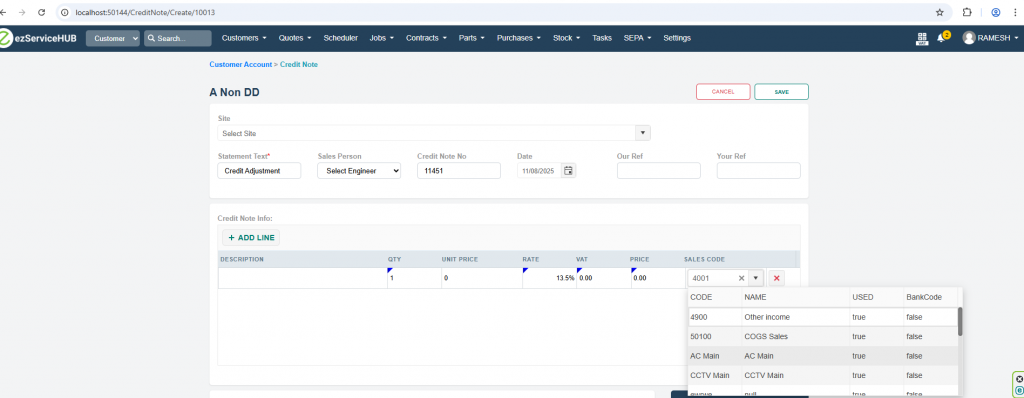
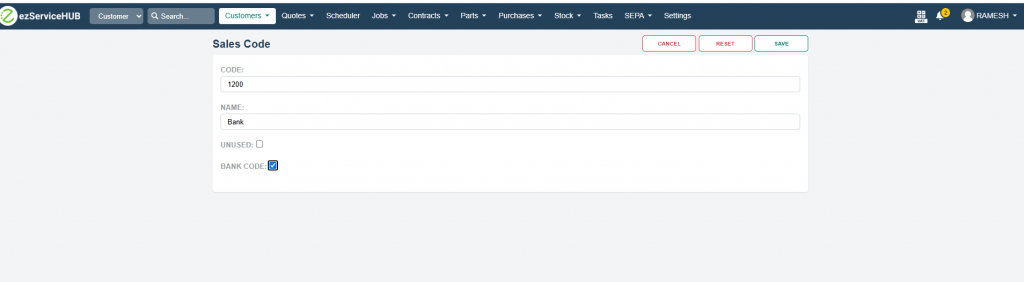
New Bank Code Flag for Transaction Filtering.
A new Bank Code flag has been introduced to help distinguish transactions based on their payment type.
For Refunds and Payments, only transactions with the Bank Code flag set to true will be loaded.
For Credit Notes and Invoices, only transactions with the Bank Code flag set to false will be loaded.