Call Today: UK+44 28 9099 5931| IE+353 71 985 6215
 Award winning ezServiceHUB platform
 Easy to Install
 Easy to Train
 Easy to use
 Call Today: UK+44 28 9099 5931| IE+353 71 985 6215
Award winning ezServiceHUB platform
Easy to Install Easy to Train Easy to useLatest Release Notes
Release Notes 2025
December 2025
November 2025
October 2025
September 2025
August 2025
July 2025
June 2025
May 2025
April 2025
March 2025
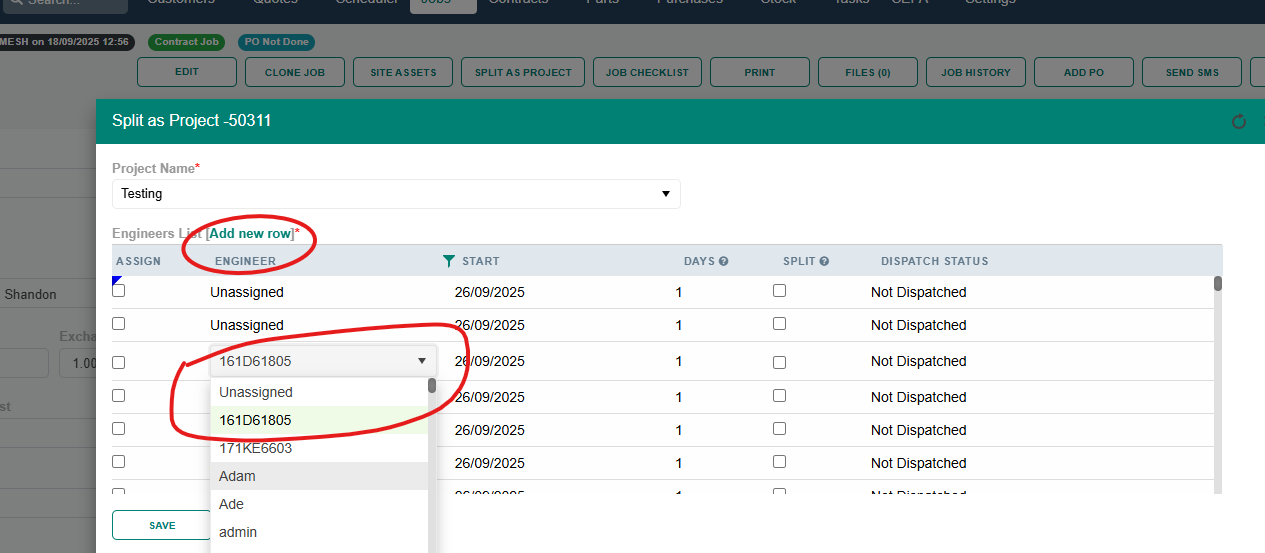
 System now allows jobs to be created with unassigned engineers in the Split as project/Clone Job options. Additionally, the system allows adding or changing multiple lines for the same engineer or an unassigned engineer for various dates.
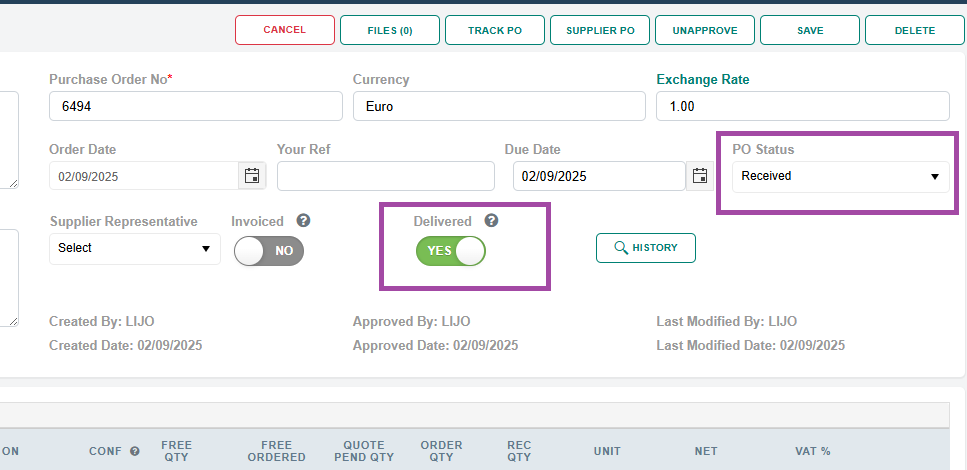
If a purchase order contains no Parts but only Misc Parts, Service, or Carriage items, then once it is marked as Received, it will also be marked as Delivered.
If a purchase order contains no Parts but only Misc Parts, Service, or Carriage items, then the Delivered button will be shown instead of the Goods Return button.
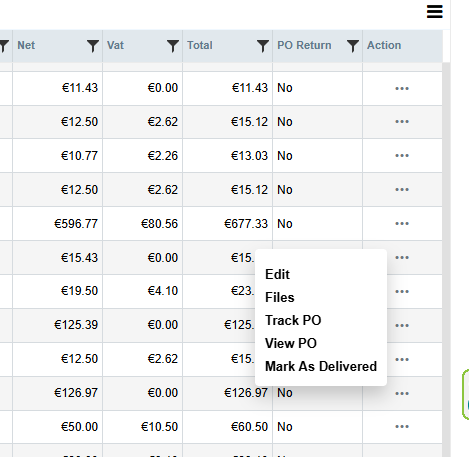
In the Purchase Order list, an option to “Mark as Delivered” has been added. This option will be visible only for approved and not-yet-delivered purchase orders. When marking as delivered, if the purchase order contains no Parts but only Misc Parts, Service, or Carriage items, it will be marked as Delivered. If it contains any Parts, the Goods Return screen will open.
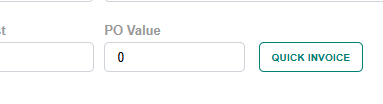
In the Job Edit screen, Quick Invoice can now create an invoice with a zero amount. The invoice will then be created as allocated.
Job pricing screen – added the quote number in parts and service grids
Pricing schema and Pricing List dropdowns will be disabled for Quotes jobs
Fixed issue with changing the pricing list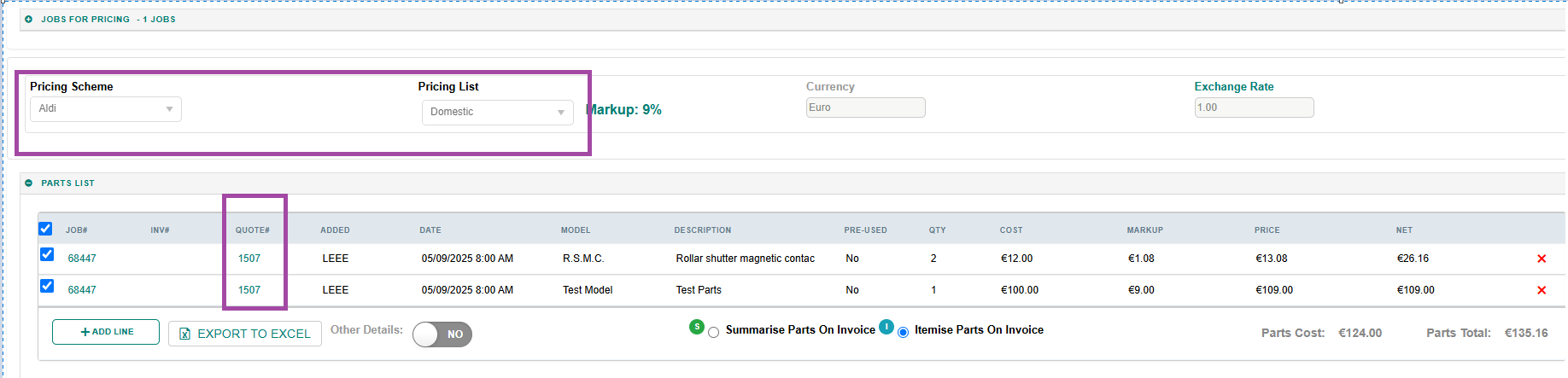
In the Sepa Customer Transactions added the button to Add New Line to collect payments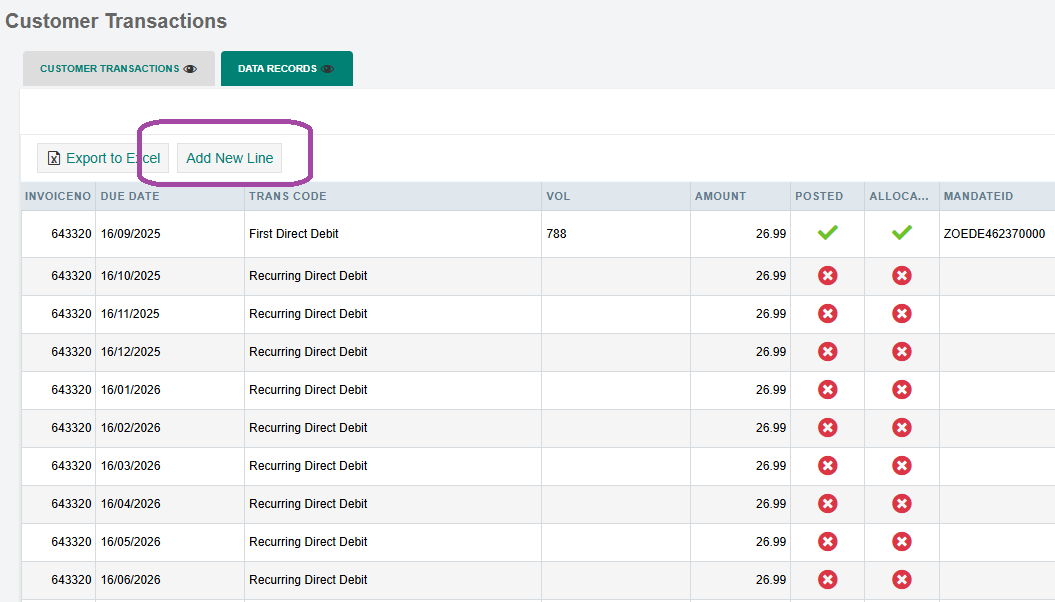
While saving if the total of all line amount is greater than the Invoice amount then below message will show up and cannot be saved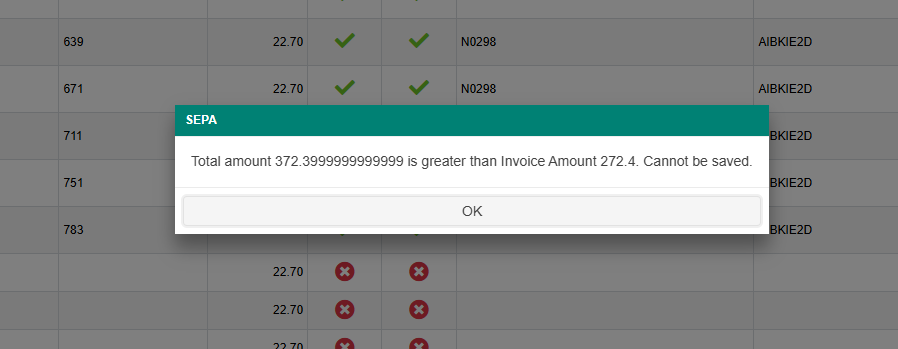 Sepa setting added to Allow/Not Allow DD payments total to be more than Invoice total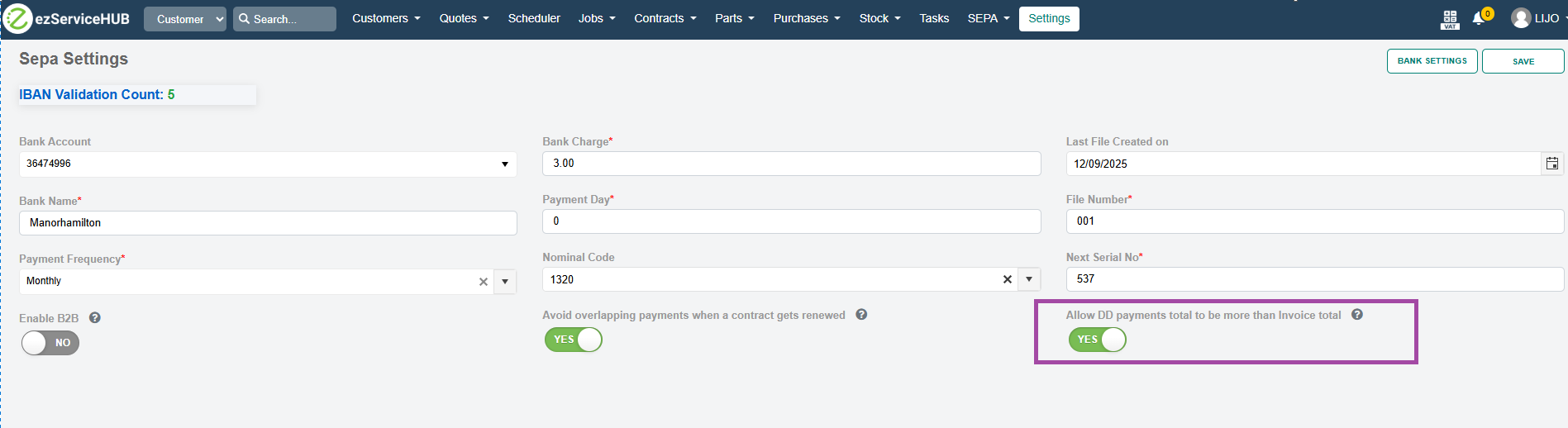
In the scheduler, if any PO is created for a job, the PO numbers and status will be shown on mouse hover.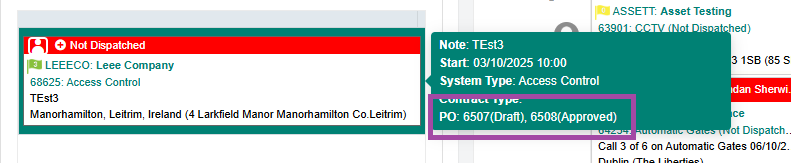
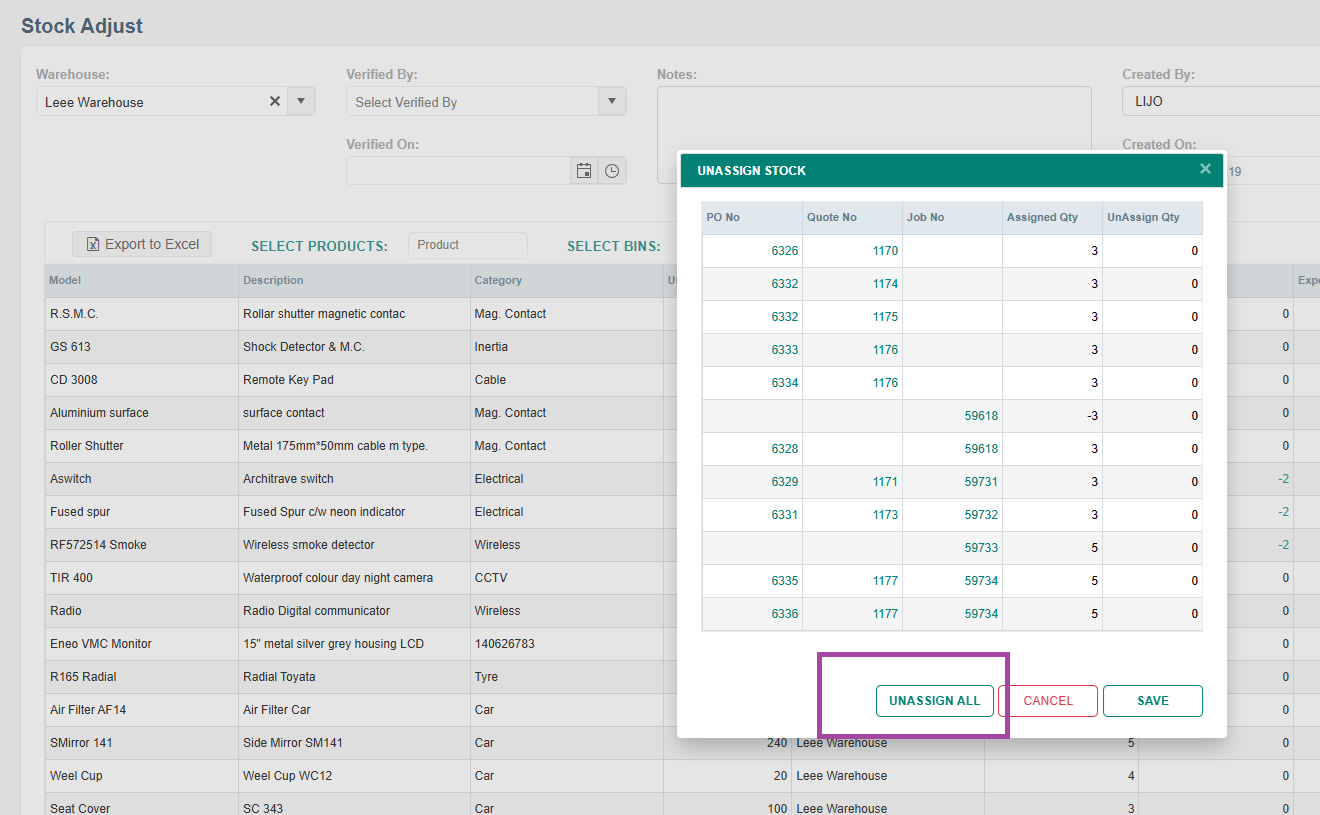
Added a button to unassign all stocks in the Unassign Stock window of the Stock Adjust screen.