 SEPA Direct Debit — Enhanced
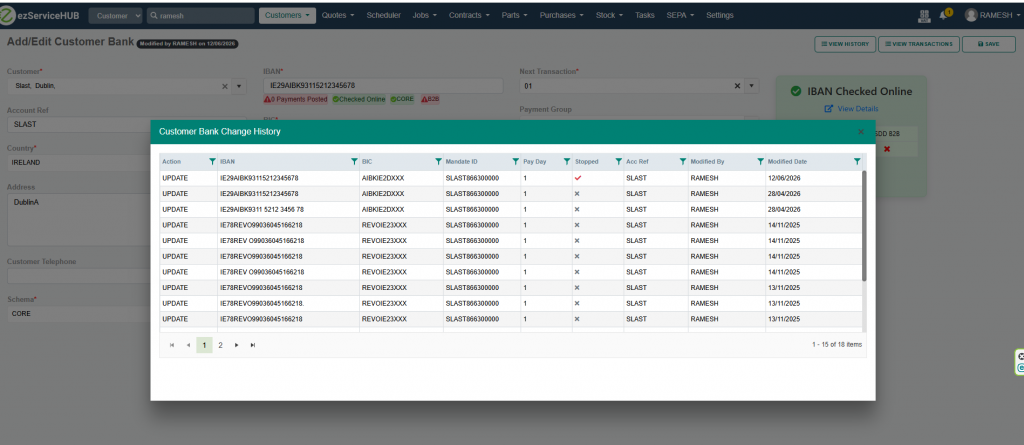
- Customer Bank Change History — Full audit trail of customer bank detail changes now available.
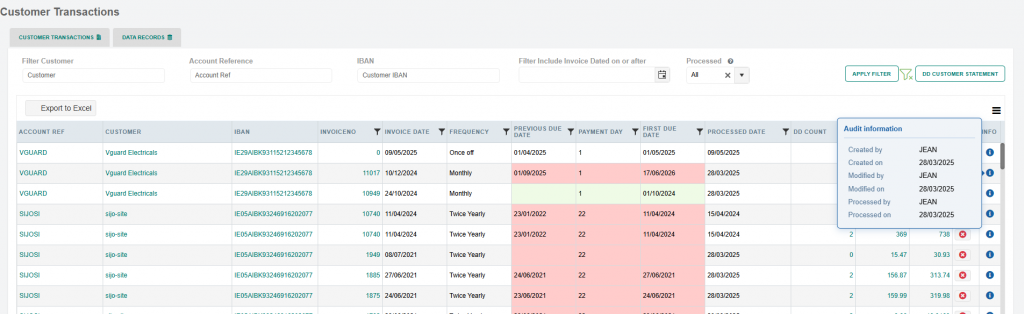
- Transaction Audit Info — Created by/Modified by details now visible on customer transaction records.
- Data Record Audit Info — Created by/Modified by details now visible on SEPA data records.
SEPA Direct Debit — New Reports
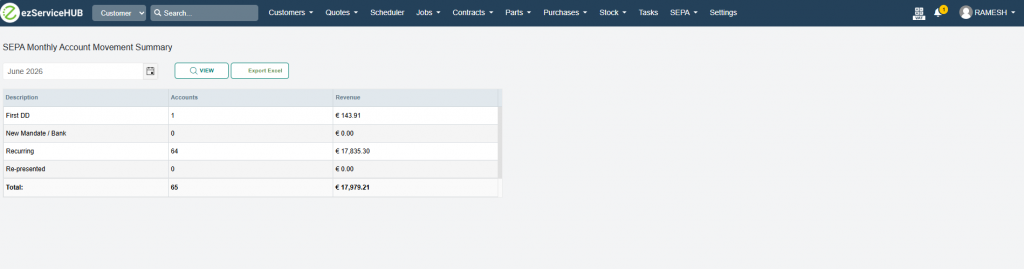
- SEPA Monthly Account Summary — New report providing a monthly summary of SEPA account activity.
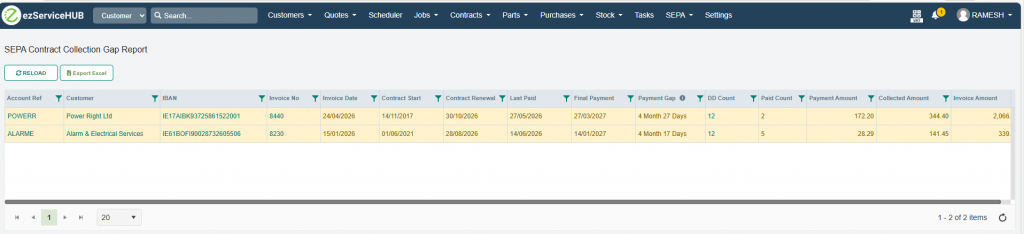
- SEPA Contract Collection Gap Report — New report identifying gaps in contract collections, helping to highlight missed or failed direct debit collections.
Statements — Enhanced
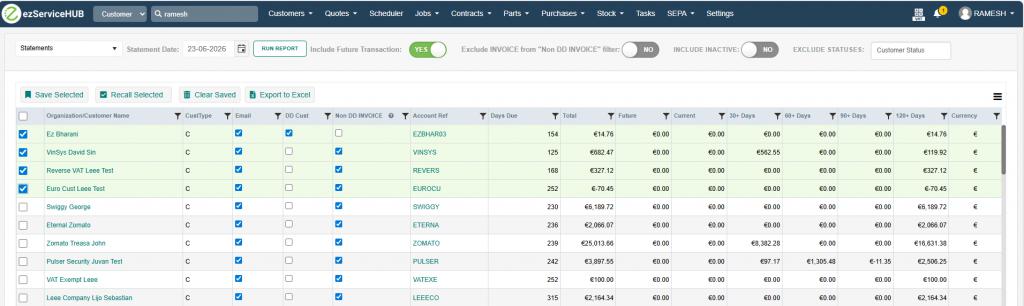
- Save & Recall Statement Selections — Statement sent items can now be saved and recalled, allowing users to quickly restore previous selections without having to reselect them manually each time.
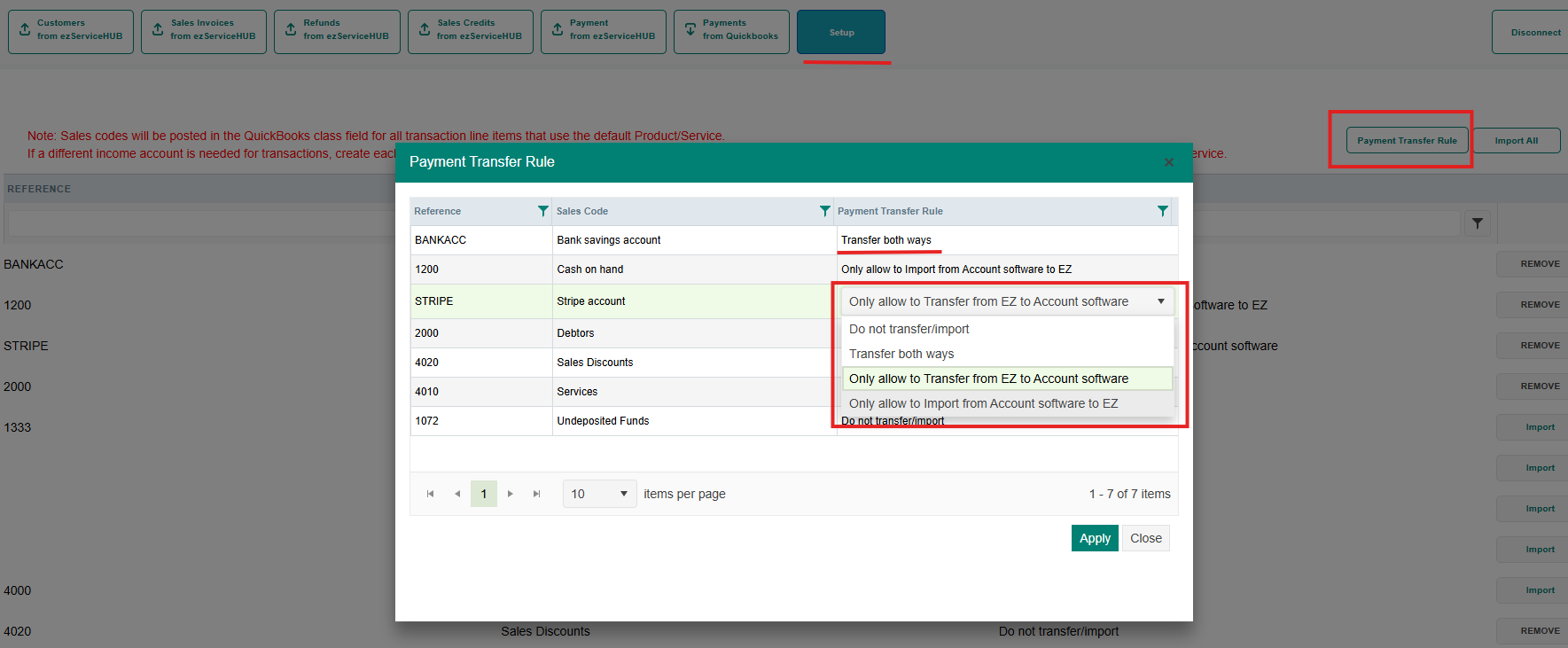
Account filter in QuickBooks integration: In payment transfers and imports, we can now control which account codes can be transferred to and imported from QuickBooks in the settings. Additionally, accounts can be filtered for both transferring and importing payments.
A bank account can be set up in four different ways:
- Do not transfer/import
- Transfer both ways
- Only allow to Transfer from EZ to Account software
- Only allow to Import from Account software to EZ

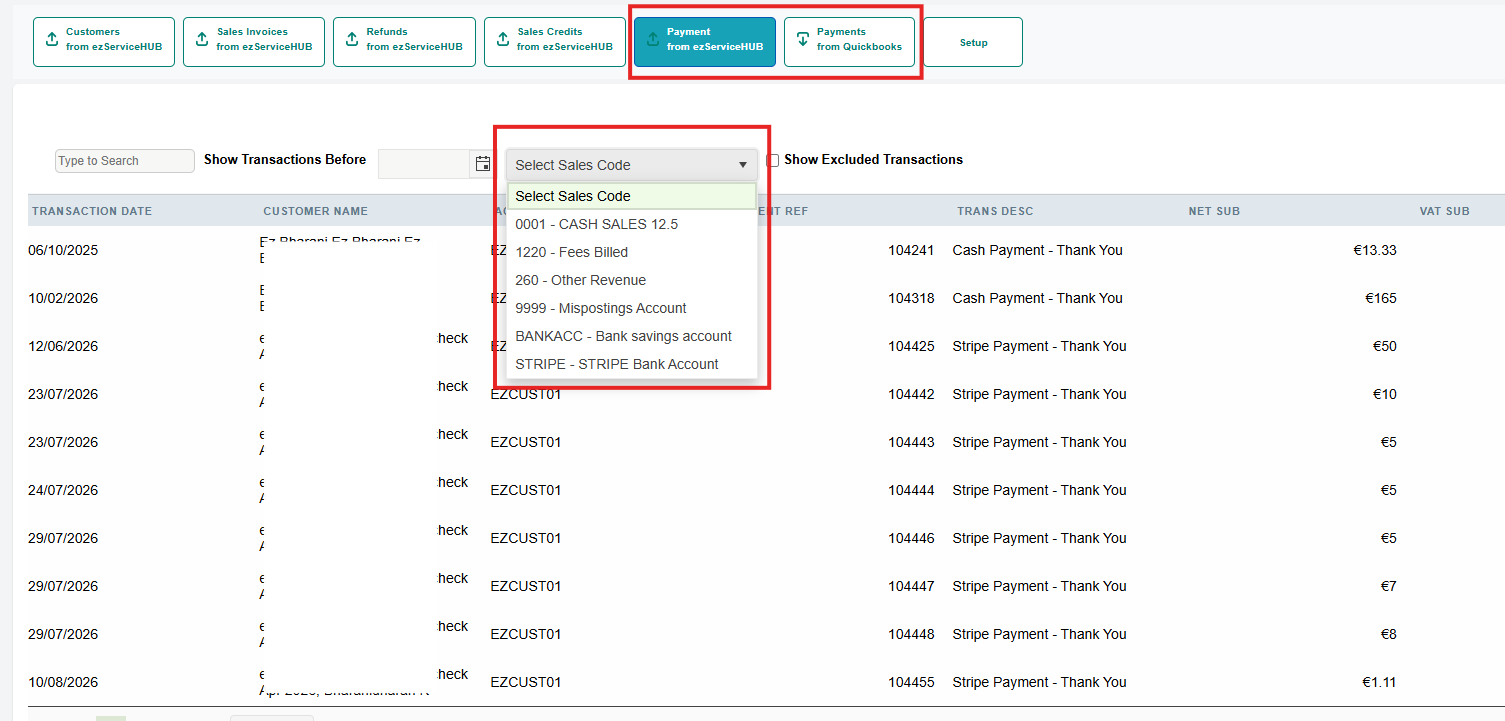
Also, bank accounts can be filtered from the Payment transfer and import screen.


 Easy to Install
 Easy to Train
 Easy to use