
Call Today: UK+44 28 9099 5931| IE+353 71 985 6215
 Award winning ezServiceHUB platform
 Easy to Install
 Easy to Train
 Easy to use
Call Today: UK+44 28 9099 5931| IE+353 71 985 6215
Award winning ezServiceHUB platform
Easy to Install Easy to Train Easy to useLatest Release Notes
Release Notes 2026
September 2026
August 2026
July 2026
June 2026
May 2026
April 2026
March 2026
February 2026
January 2026
Release Notes 2025
December 2025
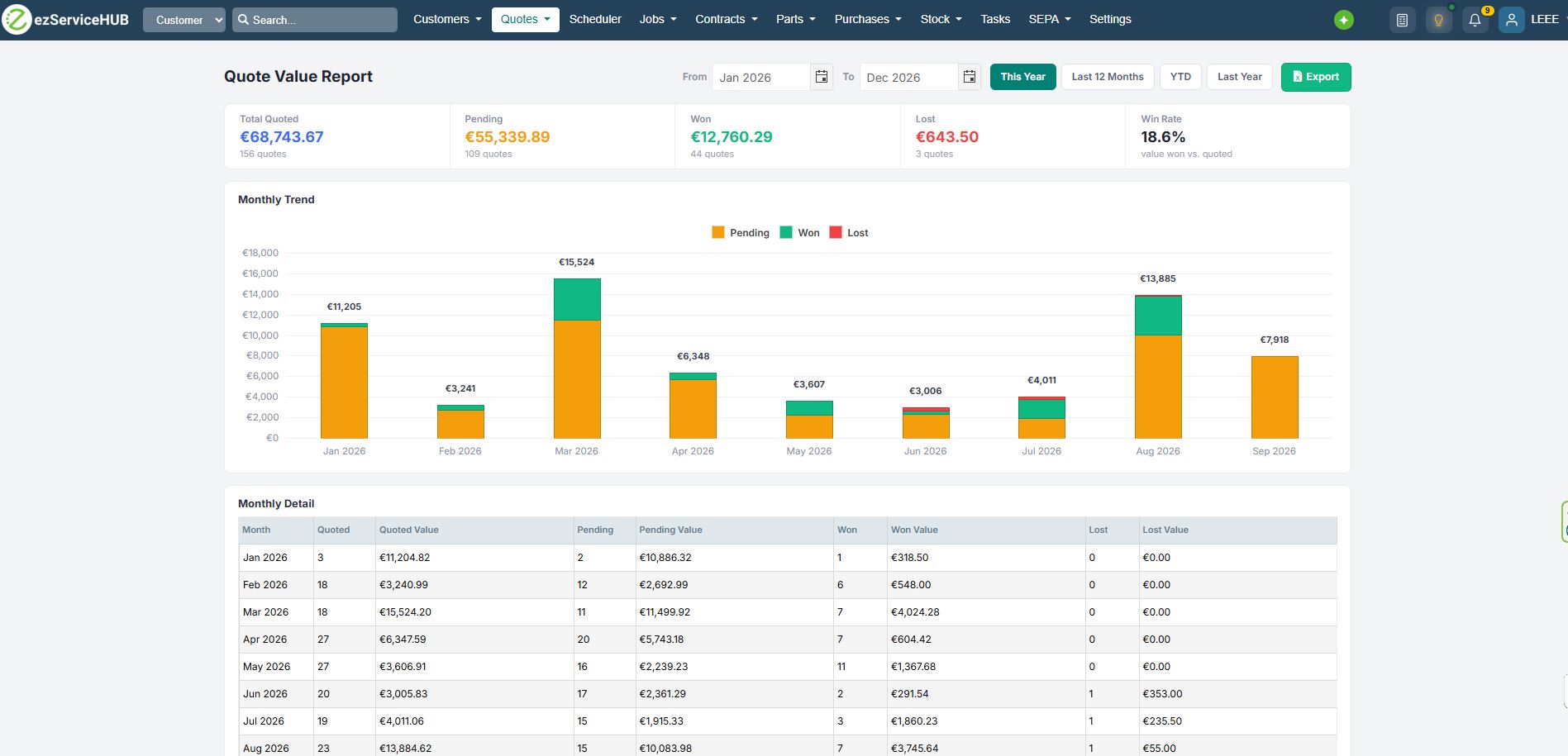
 The Quote Value Report will show the Total Quote Value, Pending Value, Won Value, and Lost Value.
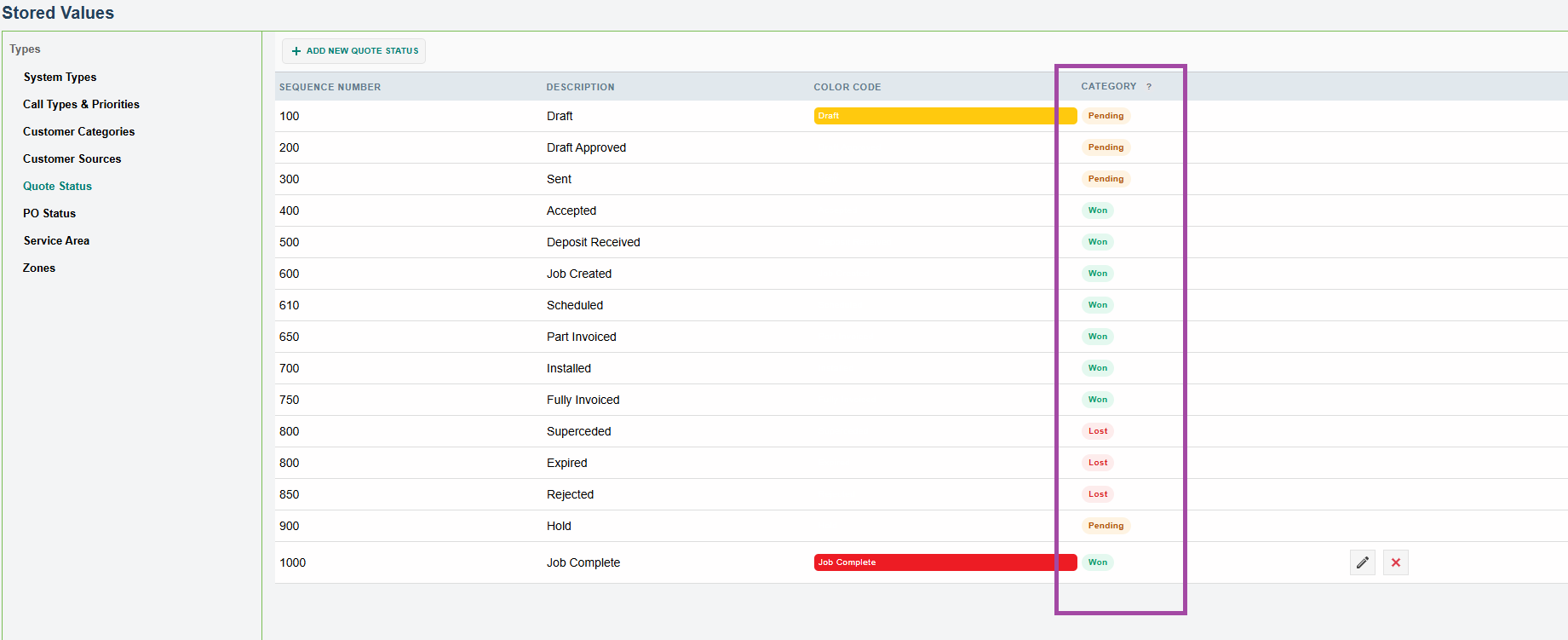
Added a Category column to the Quote Status categories, with the values Pending, Won, and Lost.
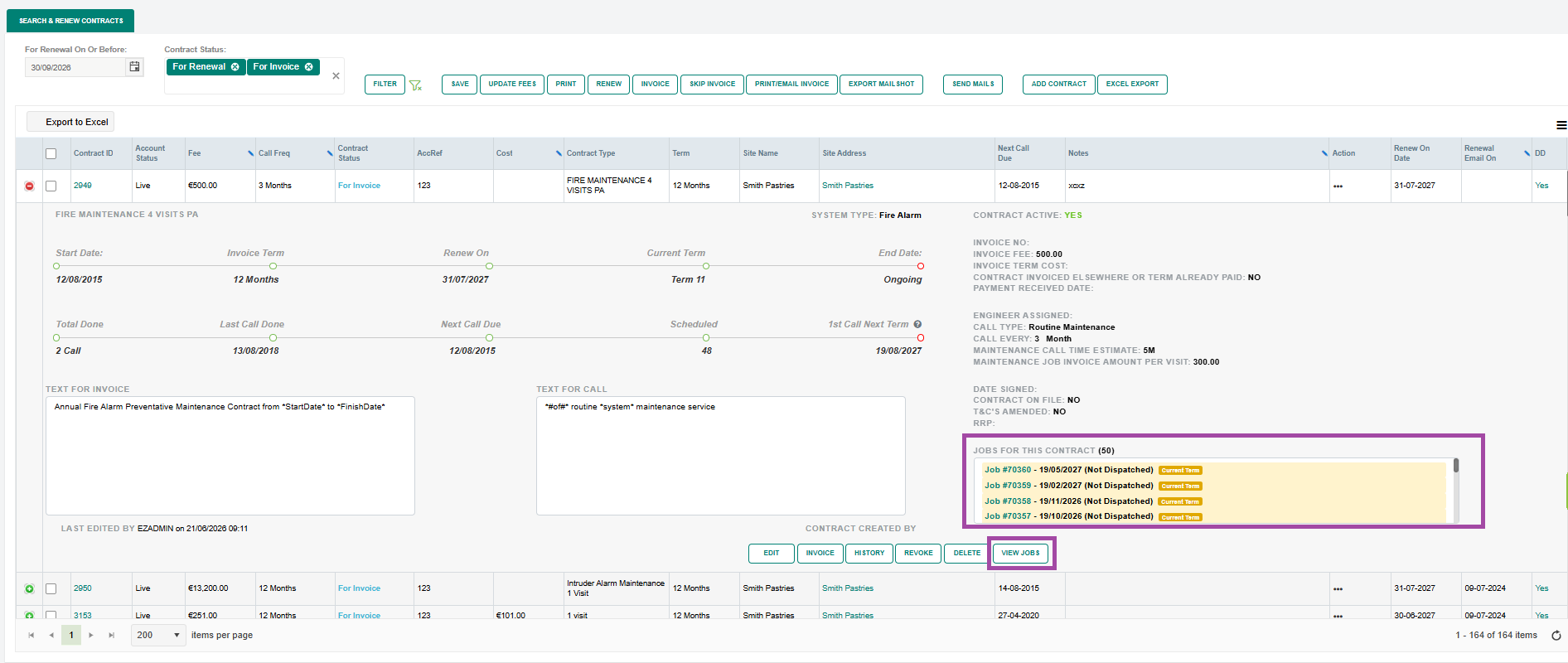
A Contract Details section has been added to display all contract jobs, with a link to view each job. Jobs in the current term will be marked as Current Term in yellow. A View Jobs button has also been added to display all contract jobs in the job list.
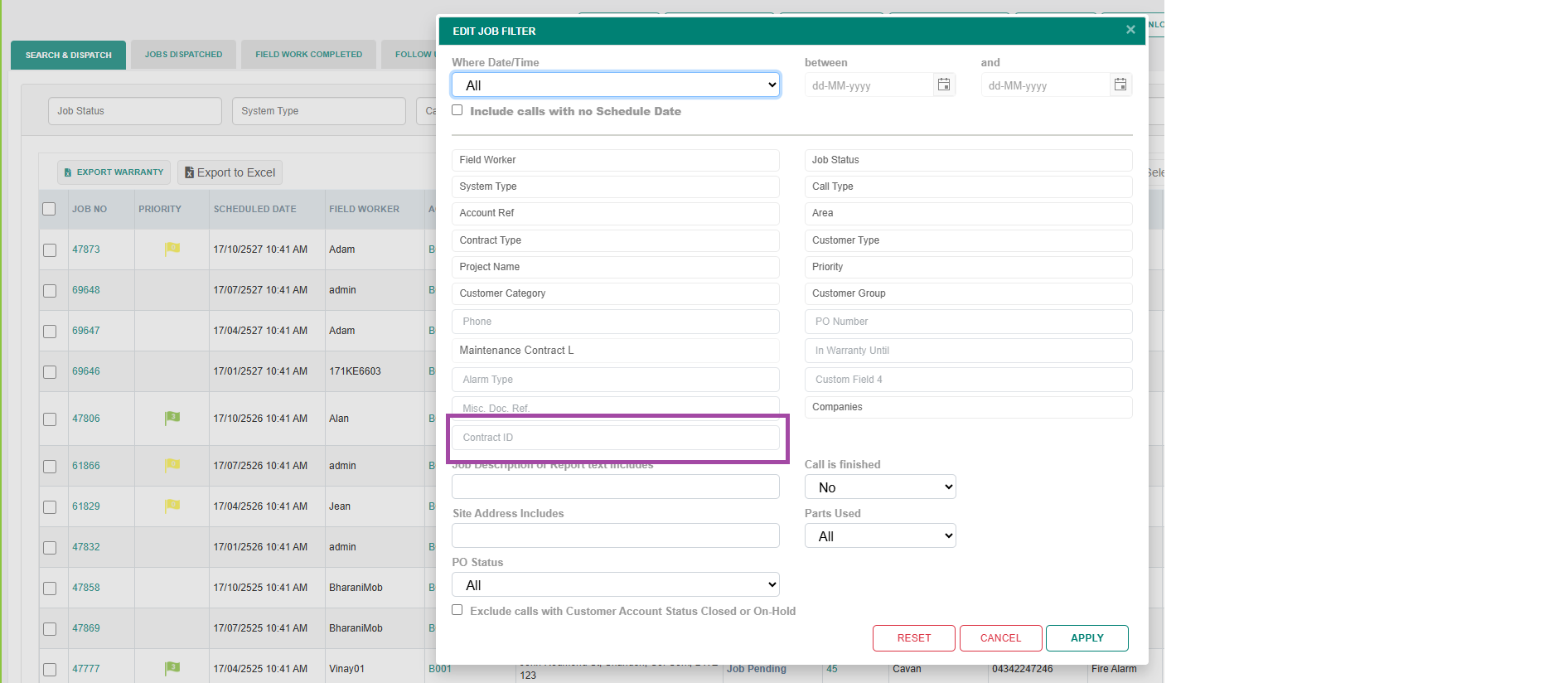
Jobs filter added option to filter with Contract ID
New Features Notification
A new lightbulb icon has been added to the top navigation bar. When a software update or new feature is released, the icon automatically glows amber with a green dot to let you know something new is available.
Simply click the icon to open the latest release notes in a new tab. Once clicked, the notification clears — just for your account. Other users will continue to see the notification until they view it themselves.

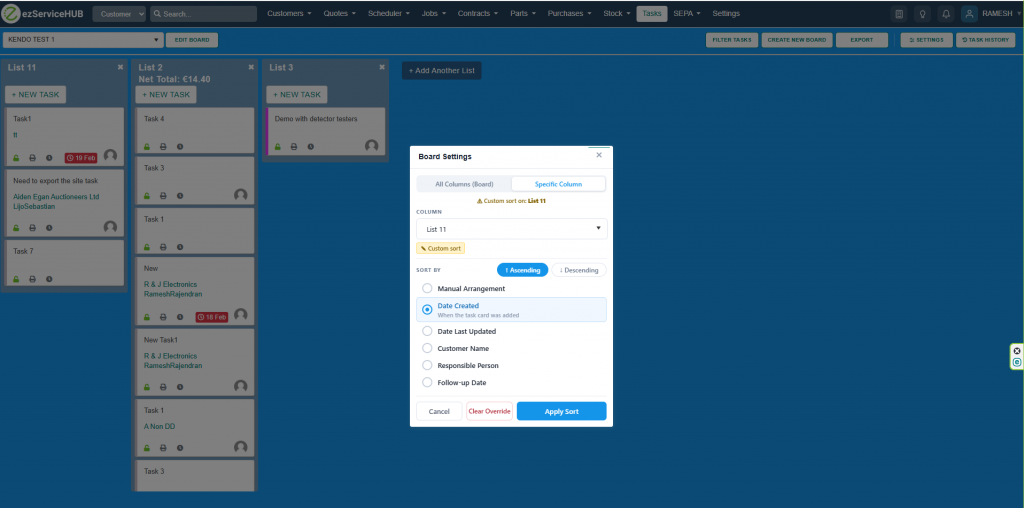
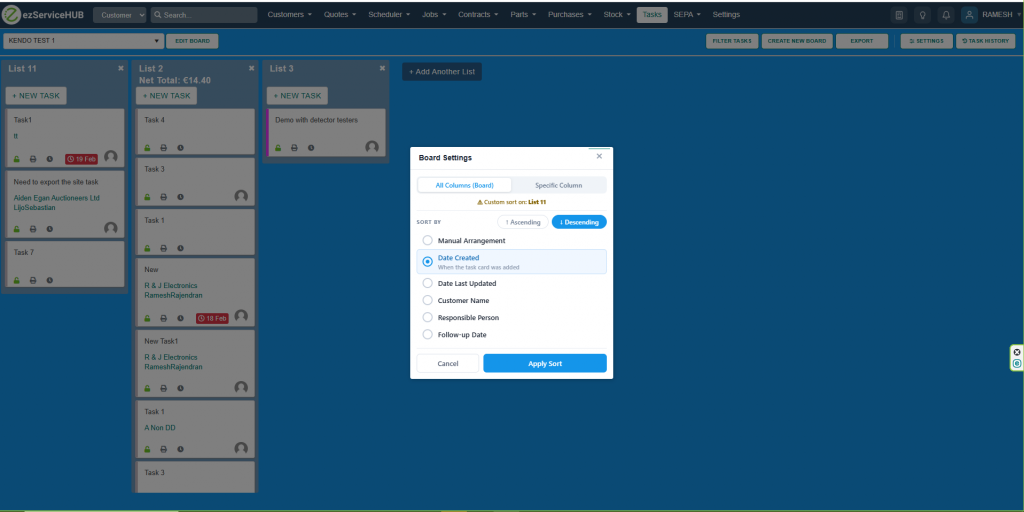
Task Board & Settings — Features
Sort Level
Sort Fields
Sort Direction
Actions
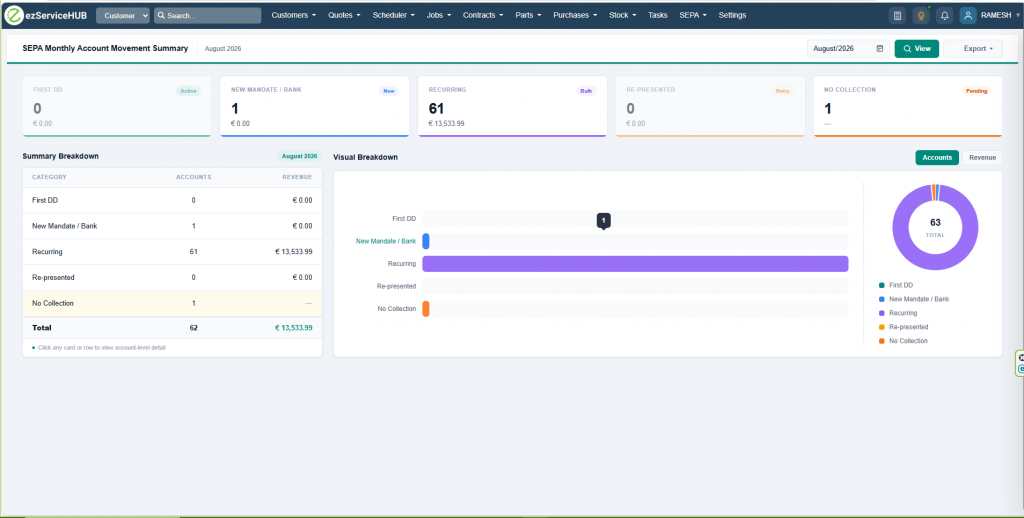
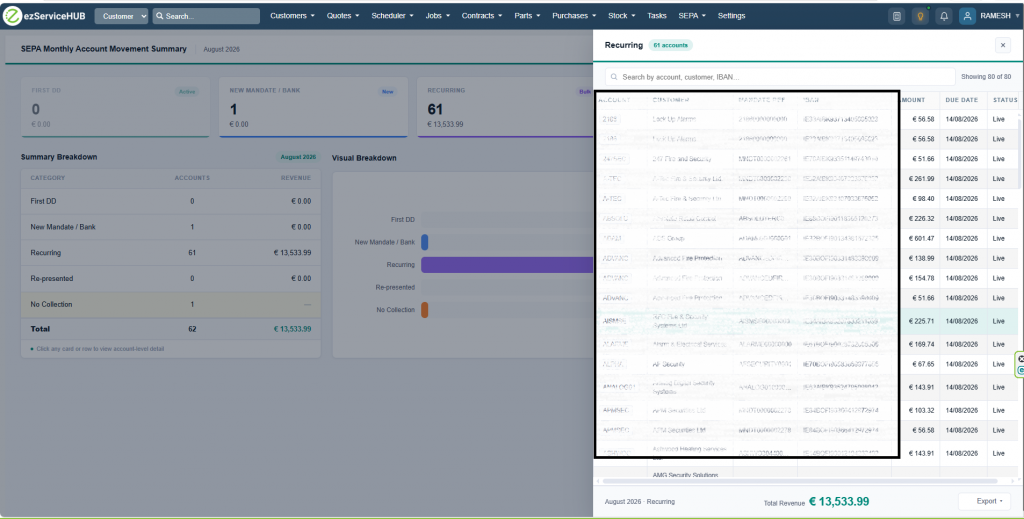
SEPA Monthly Account Movement Summary — new report with First DD, Recurring, Re-presented, New Mandate and Failed rows plus drilldown drawer
Drill-down Drawer
Chart
Exports
Filters
Invoice Due date transfer to Accounts software. Now the due date saved with the invoice will be transferred to Sage Accounts, Xero, and QuickBooks account integrations.
Recover failed Stripe payments: Now the system will automatically process Stripe card payments if the payment is successful from the customer’s end and not processed in the ezService software. This process will occur once every day when the first login happens. ( This can occur when the payer disregards our warning and exits the payment screen immediately, not allowing time for the payment to complete)