Call Today: UK+44 28 9099 5931| IE+353 71 985 6215
 Award winning ezServiceHUB platform
 Award winning ezServiceHUB platform
 Easy to Install
 Easy to Train
 Easy to use
 Call Today: UK+44 28 9099 5931|IE+353 71 985 6215


Call Today: UK+44 28 9099 5931| IE+353 71 985 6215
Award winning ezServiceHUB platform
Award winning ezServiceHUB platform
Easy to Install Easy to Train Easy to use Call Today: UK+44 28 9099 5931|IE+353 71 985 6215
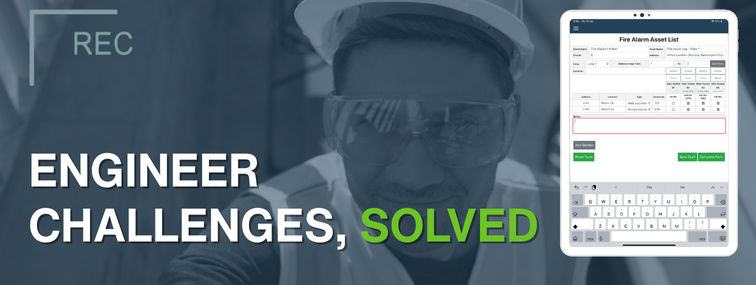
Fire and security engineers/technicians face a unique set of challenges in their day-to-day work. Whether they are checking fire alarm systems, emergency lights, intruder alarms, or access control systems, these professionals must work accurately, efficiently, and in compliance with strict regulations. From our experience working with fire and security companies, we’ve identified five common problems that engineers/technicians encounter, and we’ll explain how a modern software solution can solve each one.
The problem: Fire and security service providers often have to perform recurring inspections for many client sites (e.g., annual fire alarm tests, quarterly sprinkler checks, monthly intruder alarm servicing). Keeping track of all these due dates and ensuring none are missed is a significant challenge, especially as the client base grows. Many engineers or service managers struggle with manual logs or basic calendars, which makes it easy to miss an upcoming inspection, especially when different sites have different intervals (monthly, quarterly, annually)
A missed inspection isn’t just an inconvenience – it can mean a client falls out of code compliance, creating safety risks and potential legal liability. It also hurts the service company’s reputation and revenue, as missed work is lost income. In addition, poor asset tracking can complicate or even invalidate insurance claims, as missing or unverified assets make it harder to prove maintenance history and compliance.
The solution: Fire and security PPM management software (Planned Preventive Maintenance) is designed to handle this. Our ezServiceHUB platform, for example, allows you to input all recurring jobs with their frequencies per contract. The software then automatically schedules these recurring inspections and sends reminders as the due date approaches. It can even automatically generate JBS/work orders. This removes the mental burden from engineers and managers – you no longer rely on a wall calendar or memory. Instead, you get a dashboard of due and overdue inspections. By using software to manage PPM, companies ensure that every site gets serviced on time. No client falls through the non-billing cracks, and you can even provide them advance notice (“we’re coming next week for your routine check”). Not only does this maintain compliance for your customers,but it also secures consistent revenue for you. Essentially, the software becomes your planner, so engineers can focus on doing the work rather than tracking dates.
The problem: Even when you know which inspections need to happen, efficiently scheduling your field engineers is tricky. Without a sound system, dispatchers often struggle to coordinate appointments, plan optimal daily routes, and avoid schedule conflicts. It’s time-consuming to juggle multiple engineers’ calendars manually, and mistakes happen – like double-booking an engineer/technician or sending someone on a long drive that could have been avoided.
Poor scheduling can lead to technicians spending too much time driving between far-apart jobs or arriving at a site only to find the site contact isn’t available. These inefficiencies hurt productivity and increase fuel and labour costs. Furthermore, if an urgent job comes in (e.g., a fire alarm fault), it’s hard to reshuffle a paper schedule optimally, so either the urgent job waits (angering the client) or you bump another appointment (causing a cascade of delays).
The solution: Implementing a fire and security operations software with innovative scheduling capabilities. Our software (specifically ezServiceHUB with the scheduling module) provides a visual scheduler that lets Dispatchers see technician locations and skill sets, enabling them to assign the nearest qualified inspector to each job and reducing travel time. The system also prevents double-booking by warning if two jobs overlap for the same person or if someone is on holiday/on leave.
Automated reminders ensure site contacts are notified, preventing engineers from showing up at locked buildings. Moreover, with live schedule visibility, if a new priority call comes in, you can easily drag-and-drop to reassign work or split an inspector’s route, and the software will update everyone’s mobile app instantly. One of the most significant efficiency gains is route optimisation – grouping jobs by area. The software can display all upcoming jobs on a map, helping planners cluster nearby engineers/technicians on the same day. This way, your engineers spend less time on the road and more time doing billable work. Overall, by optimising scheduling and dispatching, companies have significantly improved productivity and reduced overtime. In fact, with such optimisation, you can handle more inspections with the same team, directly boosting revenue without adding headcount.
The problem: After an inspection, the work isn’t over; engineers/technicians must produce detailed reports and certificates. Traditionally, this means filling out paper forms on site, then later typing them into a report format or handing them to admin staff to type. It’s tedious and prone to errors, often consuming hours of non-billable time.. For example, a fire alarm engineer/technician might have to complete a 5-page report listing every device tested and whether it passed or failed. Doing this on paper, then re-entering it into a Word document back at the office doubles the work. Handwritten notes can be misread, leading to inaccuracies.
Furthermore, different jurisdictions require specific fire alarm reports or certificates (like BAFE compliance forms / BS 5839-1 2025 certificates in the UK). Manually formatting each report to meet these standards is cumbersome. All this paperwork can significantly delay delivery of results to the client – sometimes taking days before the client gets their inspection certificate. For the business, this administrative load means either engineers/technicians spend evenings doing paperwork (risking burnout), or you have to pay extra admin staff, which cuts into profits.
The solution: Move to digital inspection forms and automated reporting using field service software. Our ServiceJobs App allows engineers/technicians to complete their inspection checklist on a tablet or smartphone as they go. Instead of paper, they tap through each checkpoint (or use dropdowns) on a pre-built digital form that follows the required format. They can even dictate notes or attach photos of faulty equipment. Once the inspection is finished, the software can automatically generate the official report or certificate in PDF format – complete with your company branding and all required details – literally at the click of a button.
This cuts out transcription time entirely. The engineer can get a client signature on the mobile device and hit “Complete,” and the client could receive the report by email before the engineer even drives away from the site.
By using fire alarm reporting systems like this, one company found they saved many hours per week and eliminated common mistakes in manual data entry. Not to mention, clients appreciate the professionalism and the immediate delivery of digital reports. This also frees up technicians to focus on technical work rather than paperwork, which can improve job satisfaction. In short, the software turns what used to be a laborious after-hours task into an instantaneous by-product of the job itself.
In fact, EZManagement is recommended by auditors such as BAFE in the UK due to its highly comprehensive and audit-ready forms.
The problem: Fire and security inspections often uncover issues or deficiencies – e.g., a fire alarm battery failing load test, an emergency light not working, or a CCTV camera found offline. These represent opportunities to provide repair or replacement services (and thus additional revenue), but many companies struggle to capture them efficiently. If using paper, an engineer might jot down a needed repair and put it in a stack for sales to follow up later. If that process is slow, days might pass before the client gets a quote to fix the issue. Every day of delay is a potential lost job, as the client might call a competitor or decide it’s not urgent.
Similarly, delays in turning completed inspection work into invoices can hurt cash flow – the longer you wait to invoice, the longer until you get paid, and the higher the chance of disputes or the client forgetting the value of what was done. Essentially, slow administrative processes after inspections can leak revenue that you’ve rightfully earned or could earn.
The solution: Use software to convert inspection findings into quotes and follow-ups seamlessly. With ezServiceHUB, the moment an engineer/technician notes a deficiency (for instance, marks a fire alarm panel “Fail – needs replacement”), that information is visible to the back-office team on their reports in real time. They can therefore generate a quote task for the part. They’ll have all the details from the engineer’s / technician’s report, perhaps even with part numbers if the engineer/technician selected a recommended fix. This enables you to send a repair quote to the client very quickly – potentially the same day as the inspection. Being first to quote means you’re more likely to win the work.
Furthermore, because the data is all connected, it’s easy to price and generate the quote: the system knows the required equipment, and you can have standard pricing pre-loaded. Regarding invoicing, a good fire and security service software will allow you to convert the completed work order into an invoice draft immediately, with all labour and materials from the job automatically included. This way, your billing department can review and send the invoice out faster – often within a day. The result is better cash flow and no forgotten invoices. In summary, software ensures that every deficiency becomes an actively managed opportunity and that billing is prompt and accurate. You reduce revenue leakage and improve your financial performance.
Fire and security engineers face unique challenges in their day-to-day work. Whether they are checking fire alarm systems, emergency lights, intruder alarms, or access control systems, these professionals must work accurately, efficiently, and in compliance with strict regulations. From our experience working with fire and security companies, we’ve identified five common problems that engineers encounter – and we’ll explain how a modern software solution (like EZ Management’s ezServiceHUB platform) can solve each one.
The problem: Fire and security engineers must adhere to strict codes and standards (fire codes, NSI/SSAIB/BAFE security regulations, manufacturer recommendations, etc.). A common challenge is ensuring that every engineer/technician follows the same process and that every check is performed and documented correctly. Without a standardised system, one technician might do things one way, while another might do them differently, leading to inconsistent results. Necessary checks might be overlooked if an engineer is in a rush or relies on memory. Incomplete or inconsistent inspection records can lead to compliance gaps, which are dangerous in this industry.
For example, failing to test a smoke detector in a far corner because someone forgot can leave a building at risk. Inconsistency also makes it hard to uphold quality – customers should get the same thorough service regardless of which tech shows up. If inspections are recorded in messy handwriting or disparate formats, proving compliance to authorities or clients is stressful. Training new engineers/technicians is also harder without a straightforward, enforced procedure; they may miss steps until they learn through trial and error. Overall, lack of consistency can lead to liability issues, failed audits, or even legal trouble if something goes wrong and records show an engineer missed something.
The solution: Field service software standardises through digital workflows. With our EZ Management system, you can create standardised inspection templates and checklists that every technician must follow within the app. The software won’t let an inspection be marked complete until each required step is filled out. This ensures that every inspection is thorough and by the book. It’s like having a built-in QA coach for each tech. We also keep forms up to date with the latest code requirements – for instance, if BAFE or EN standards change to add a new checkpoint. This addresses the training aspect too: new engineers quickly get up to speed because the app guides them through precisely what to do and what data to capture. ezServiceHUB also allows attaching reference materials (such as code snippets or diagrams) to help technicians with tricky tests, thereby improving quality. By consistently recording all inspection data, generating compliance reports for fire marshals or insurance is straightforward.
You can trust that one engineer/technician’s report will be as complete as another’s.
Furthermore, the software’s audit trails show timestamps and personnel, adding accountability – you know who did what and when, which is vital in demonstrating due diligence. In short, our software serves as a digital guardian of quality and compliance, ensuring every job is done right and documented correctly. This not only protects the public and your clients but also shields your business from liability by proving that you deliver services to the required standards every time.
We’ve matched each problem with the general solution, but it’s worth noting how our specific product suite (ezPro, ezLite, ezServiceHUB, and the ServiceJobs mobile app) integrates to tackle all these challenges holistically.
ezServiceHUB is the cloud platform where all asset data, schedules, and customer info live. It handles recurring job scheduling (problem 1) and central dispatch (problem 2) with an intuitive calendar and automated reminders. It also logs all completed work and deficiencies, feeding into quoting and invoicing (problem 4).
ServiceJobs App is the field mobility tool that guides engineers/ technicians through checklists (problem 5) and enables them to fill reports and capture signatures digitally (problem 3). It works offline if needed and syncs when back online, so even remote sites with no signal are covered.
ezPro is our full-featured package ideal for all operations – it includes quoting and invoicing tools. For instance, when a deficiency is logged, ezPro can pull the required part from the Parts list and help create a quote in a couple of clicks (solving problem 4 by speeding up repair quotes). It also has extensive reporting and analysis capabilities to monitor performance.
ezLite is a streamlined solution designed for companies that already have an ERP system and simply need a non-billing scheduling and dispatch system for running PPMs alongside it. Teams benefit from features such as automated scheduling and digital worksheets, without added complexity.
It can also serve as an entry point that easily scales into ezPro as the business grows.
By using our integrated system, a fire and security company can essentially have an end-to-end digital workflow: schedule jobs, execute via mobile app, capture all data, and follow through with reports and invoices – all in one ecosystem. This eliminates the inefficiencies and pain points that plague engineers/technicians and managers alike.
To sum up, fire and security engineers’ / technicians’ work can be significantly improved with the right software tools. The five problems – managing recurring schedules, optimising field work, dealing with paperwork, following up on revenue opportunities, and maintaining consistency – are all solvable. Our EZ Management software suite was designed with these exact challenges in mind. By adopting such a system, businesses not only solve these problems but also gain vast improvements in operational transparency, client satisfaction, and profitability.
Fire and security maintenance inspections are a critical, life-saving job; our goal is to make it easier to perform that job effectively, every time.
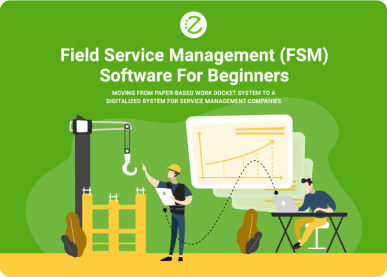
Going from Paperwork to Digitalisation
Get news on our latest products and ongoing updates.
EZ Management Software
Clients & Partners who trust EZ Management















Subscribe To Our Newsletter
Get news on our latest products and ongoing updates.