Call Today: UK+44 28 9099 5931| IE+353 71 985 6215
 Award winning ezServiceHUB platform
 Award winning ezServiceHUB platform
 Easy to Install
 Easy to Train
 Easy to use
 Call Today: UK+44 28 9099 5931|IE+353 71 985 6215


Call Today: UK+44 28 9099 5931| IE+353 71 985 6215
Award winning ezServiceHUB platform
Award winning ezServiceHUB platform
Easy to Install Easy to Train Easy to use Call Today: UK+44 28 9099 5931|IE+353 71 985 6215
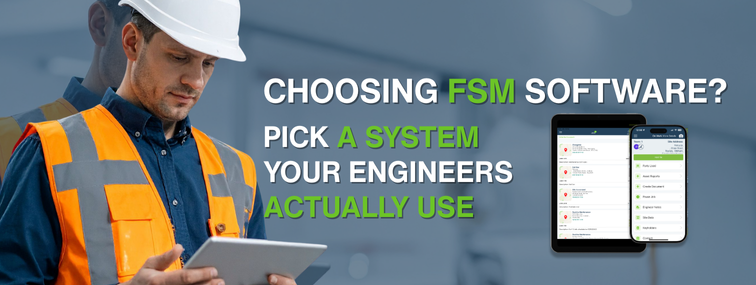
Choosing the right field service management (FSM) software is a big decision for any Fire and Security service business or wider field maintenance operation. Your FSM platform becomes the backbone of your scheduling, job tracking, customer management and compliance, so you want a system that genuinely fits the way you work, not the other way round.
Below are the key factors to consider when evaluating FSM software and how EZ Management ticks those boxes.
Modern FSM systems are cloud-based, meaning you access them via a browser or mobile app and your data is stored securely online. Cloud software offers anytime, anywhere access for your team and doesn’t require heavy on-site IT infrastructure.
This is ideal for Fire and Security operations:
On-premise solutions (installed on local servers) may suit organisations with very specific data control requirements, but they tend to limit remote access and often require staff to be in the office to use the system – plus they cost more to maintain.
For most growing alarm and security businesses, a cloud-based platform like ezServiceHUB gives the flexibility, resilience and real-time communication you need to scale without constant IT headaches.
The best FSM software won’t help if your team hates using it.
Your system should be intuitive and easy to pick up. Not every field engineer is a tech expert, so a complicated system with a steep learning curve can actually reduce productivity if technicians struggle with it.
Look for:
Mobile apps are crucial. Engineers in the field need a user-friendly app that allows them to:
EZ Management’s ServiceJobsApp is designed specifically for this: a focused mobile app that lets engineers complete jobs, forms and certificates with minimal training. If a demo of any software feels clunky or confusing, your team is unlikely to embrace it. The easier it is to use, the faster you’ll see a return on investment and the quicker your team will wonder how they ever coped without it.
Before you shortlist vendors, make a simple checklist of must-have features for your operation. Common essentials include:
Your FSM system should include a robust scheduler, ideally with drag-and-drop calendar functionality – so you can assign jobs to engineers and optimise routes.
Good fire and security job scheduling software helps you:
With ezServiceHUB, schedulers can see live engineer availability and location, then allocate urgent fire alarm callouts or planned preventive maintenance jobs in seconds, without whiteboards, spreadsheets or guesswork.
Your FSM software should make it easy to create, track and complete work orders from start to finish. That means:
Real-time alarm service software that updates job status lets both you and your customer see progress instantly. EZ Management’s Fire and security management software keeps everything in one place – so there’s no need to chase technicians for paperwork or wonder what’s happening on site.
If your business maintains equipment such as fire alarms, CCTV, access control or emergency lighting, you’ll want:
A good alarm management system ensures that nothing is missed and that every detector, panel and device has a clear history.
With ezServiceHUB, you can:
This is particularly powerful for Fire and Security ppm management software where compliance and traceability are non-negotiable.
Ask yourself: do you need inventory management and vanstock control inside your FSM platform, or are you happy to manage it separately?
Some solutions like ezPro include modules to manage:
This is invaluable if you want to avoid delays caused by missing parts, reduce repeat visits and keep tighter control over margins on materials used in the field.
Many modern FSM platforms also cover quoting and billing, which can save a huge amount of admin time.
Ideally, you should be able to:
Integrated inventory management and billing software means no more double entry into a separate accounting package. EZ Management integrates with leading accounting tools (such as QuickBooks, Xero, Sage and other finance systems), so your invoices flow smoothly from job to accounts with minimal manual intervention.
A strong FSM solution doubles as a CRM for alarm companies. It should give you a full picture of each customer:
With this, your team can quickly access a client’s information and past jobs to personalise service and spot opportunities for upsells or contract renewals. EZ Management’s software is built around this joined-up view, so your office team and field engineers always know who they’re dealing with and what’s been done before.
Finally, make sure the software includes a robust mobile app for engineers (Android and iOS) with:
ezServiceHUB integrates with finance systems for invoicing, ideal if you want to move towards condition-based servicing rather than just calendar-based PPM.
One of the biggest advantages of going digital is visibility.
Your FSM platform should offer dashboards and reports so you can monitor key metrics, such as:
If you aim to use the best software for security companies, having clear insight into performance is essential.
With ezPro, you can visualise jobs completed, revenue and engineer utilisation at a glance, then drill down into the detail. Analytics help you:
Of course, price matters, but it shouldn’t be the only deciding factor.
FSM software is typically sold on a subscription basis (monthly or annually per user or per technician). When comparing options, look at value over cost:
A cheaper system that lacks critical features or decent support can end up costing more through inefficiency and frustration.
Many businesses find that a well-implemented FSM tool pays for itself quickly by cutting waste and boosting productivity. With EZ Management, our team works with you to get the system embedded properly, so you’re not left to figure it out alone.
Also check for:
This will give you a realistic picture of the total cost of ownership.
Finally, the software itself is only half the story – the team behind it matters just as much.
Ask:
Field service is mission-critical. If something goes wrong, you need quick, knowledgeable help.
At EZ Management, we specialise in fire and security job management software and work closely with installers and maintenance companies across the UK and Ireland. Our products are continuously improved based on real feedback from fire and security businesses, so you benefit from a platform that keeps pace with the industry, not one that stands still.
When choosing FSM software for a fire and security business (or any field service operation), prioritise a solution that is:
Field service technology is a significant investment, but selecting the best service management software for your needs will reward you with streamlined operations, happier customers and, ultimately, a more profitable business.
If you’d like to see how EZ Management measures up against this checklist, we’re always happy to walk you through in a no-pressure demo and show you exactly how they could work for your fire and security business.
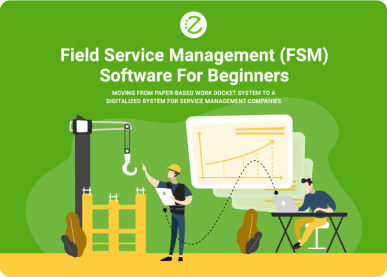
Going from Paperwork to Digitalisation
Get news on our latest products and ongoing updates.
EZ Management Software
Clients & Partners who trust EZ Management
















Subscribe To Our Newsletter
Get news on our latest products and ongoing updates.